




How to Use Proxies with 4chan to Protect Your Privacy
 Daniel Wong
 2026-02-28 07:37
 Other
OtherIn the age of the internet, anonymity and privacy protection have become particularly important. 4chan, as a popular anonymous discussion platform, is loved by many for its free discussion atmosphere. However, due to the lack of strict identity verification, users' IP addresses and other sensitive information may be exposed on the internet, posing a risk of privacy leaks. To browse 4chan more safely and anonymously, using a proxy server is an effective solution. This article will detail how to use proxies on 4chan to protect your privacy.
What are Proxies?
A proxy is an intermediary server that allows users to access the internet through it, thereby hiding their real IP address. The proxy server can receive user requests and initiate requests to the target website (such as 4chan) using its own IP address instead of the user's. This method effectively protects users' privacy and avoids direct exposure of personal information.
Using a proxy on 4chan does not mean you can just find any free proxy online, as those free IPs may have already been banned by 4chan. Additionally, well-known VPN service IPs are likely to be banned due to excessive abuse by too many users.
There are several important benefits to using proxies on 4chan:
Hide IP Address: Proxy servers will hide your real IP, preventing 4chan and other websites from tracking your geographical location and personal identity.
Bypass Blocks and Restrictions: Some regions may block or restrict access to 4chan, and using a proxy can help bypass these restrictions for smooth website access.
Enhance Security: Through a proxy connection, users' online activities are not directly exposed, reducing the risk of being attacked by hackers.
How to Choose a Proxy Service
Before using a proxy, you need to choose a suitable proxy service provider. Here are several factors to consider when selecting a proxy:
IP Address Pool: The larger the IP pool of the proxy service provider, the more proxy IPs you can choose from, which helps avoid the problem of frequent bans on a specific IP.
Connection Speed: Speed is very important for browsing websites like 4chan, so choose a service that offers fast proxy connections to ensure a smooth browsing experience.
Security: Ensure that the proxy service provider offers encrypted connection methods (such as SOCKS5 protocol or HTTPS proxy) to prevent data theft or leakage.
Steps to Access 4chan Using a Proxy
Get Proxy IP, then your task is to configure the proxy settings. Here are several common configuration methods:
Browser Proxy Settings
Most browsers (such as Google Chrome, Firefox, etc.) allow users to set up proxies. Here are the steps to configure a proxy through the browser:
Google Chrome:
1. Open Chrome, click the three-dot menu in the upper right corner, and select "Settings."
2. Scroll down and click "Advanced," then select "System."
3. Click "Open your computer's proxy settings" to enter the operating system's network settings page.
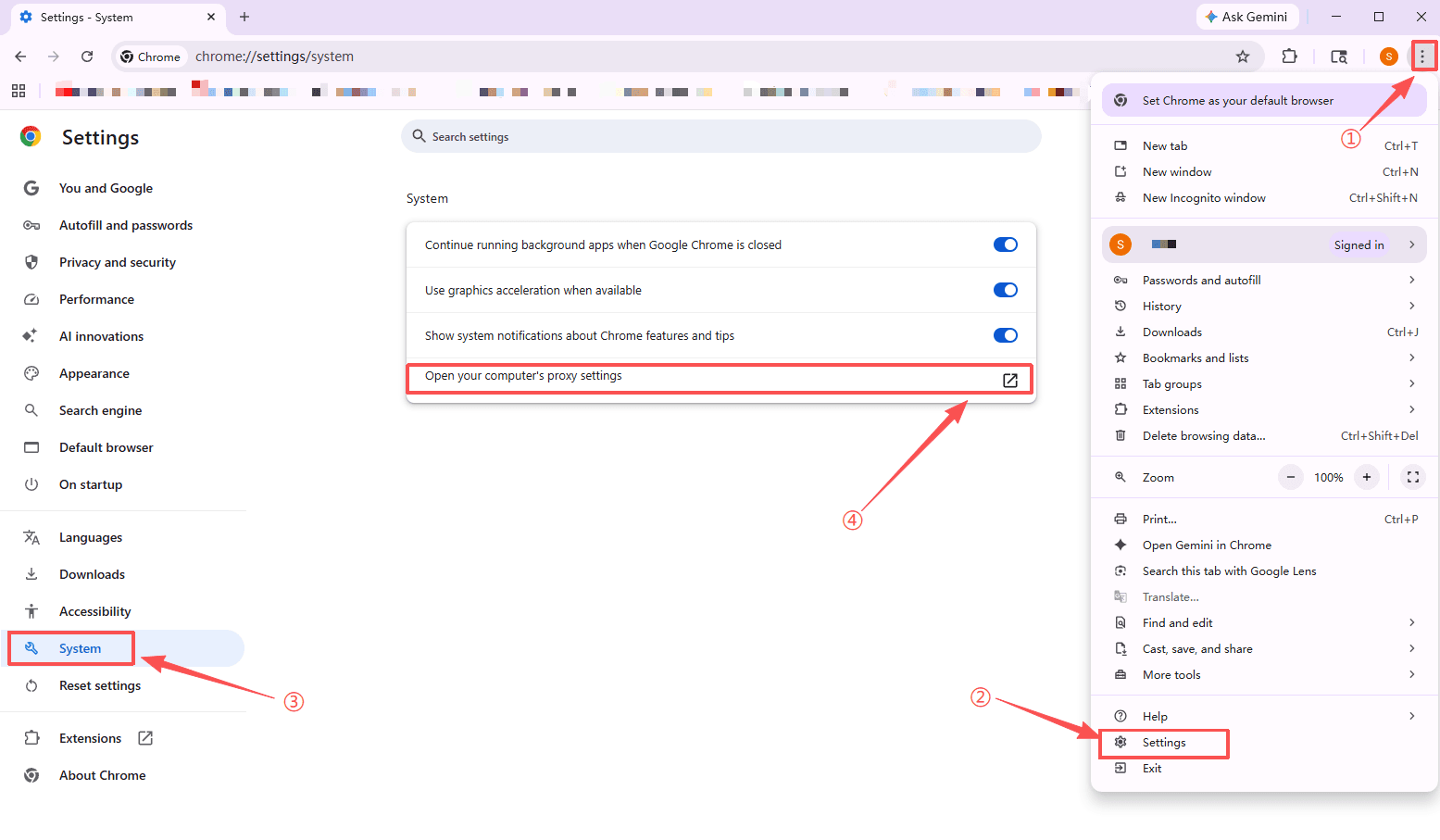
4. In the network settings, select to use a proxy and enter the IP address and port number of the proxy server.
5. After saving the settings, you can access 4chan through the proxy.
Firefox:
1. Open Firefox, click the three-line menu in the upper right corner, and select "Settings."
2. In "Network Settings," select "Settings...".
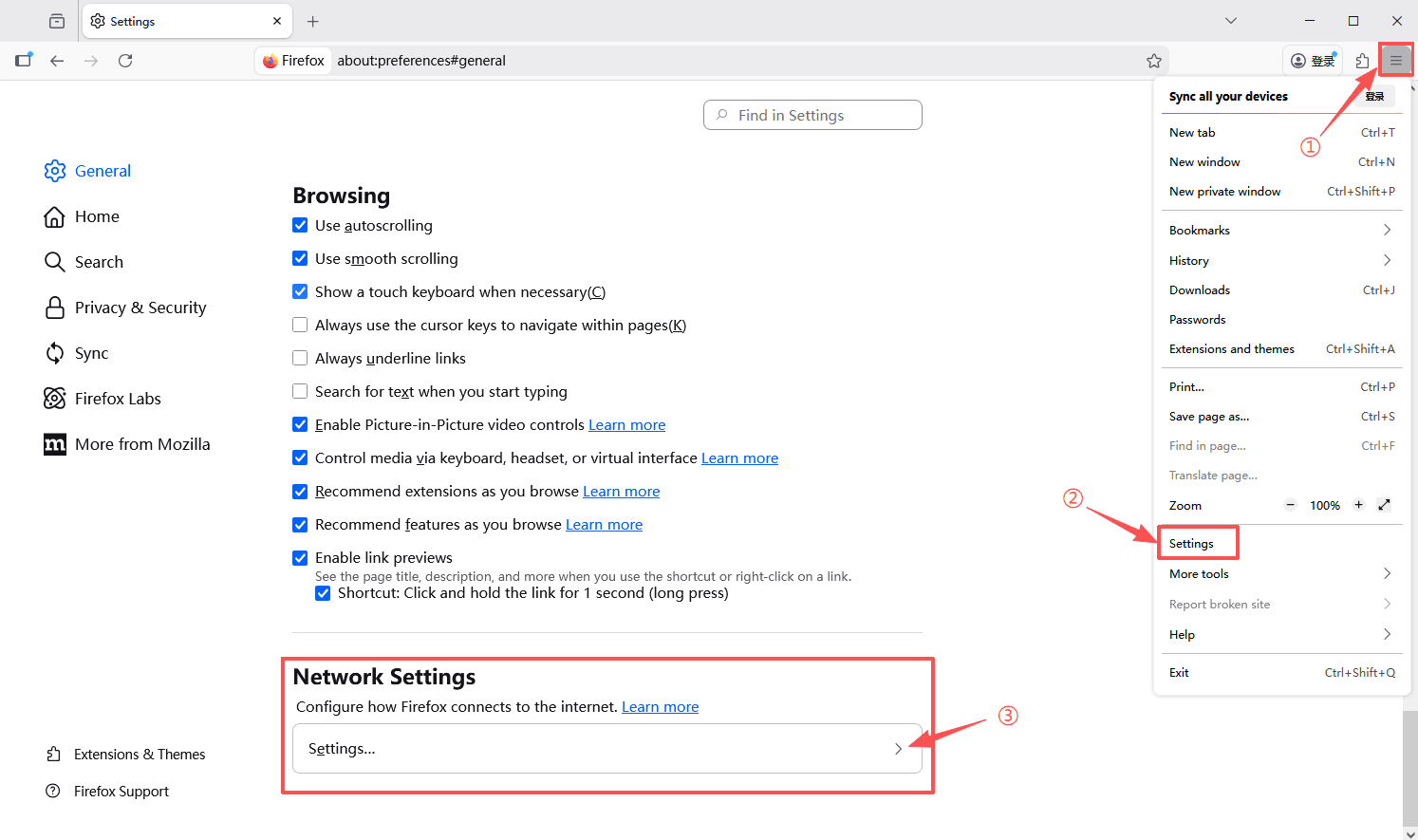
3. Select "Manual proxy configuration" and enter the IP address and port of the proxy server.
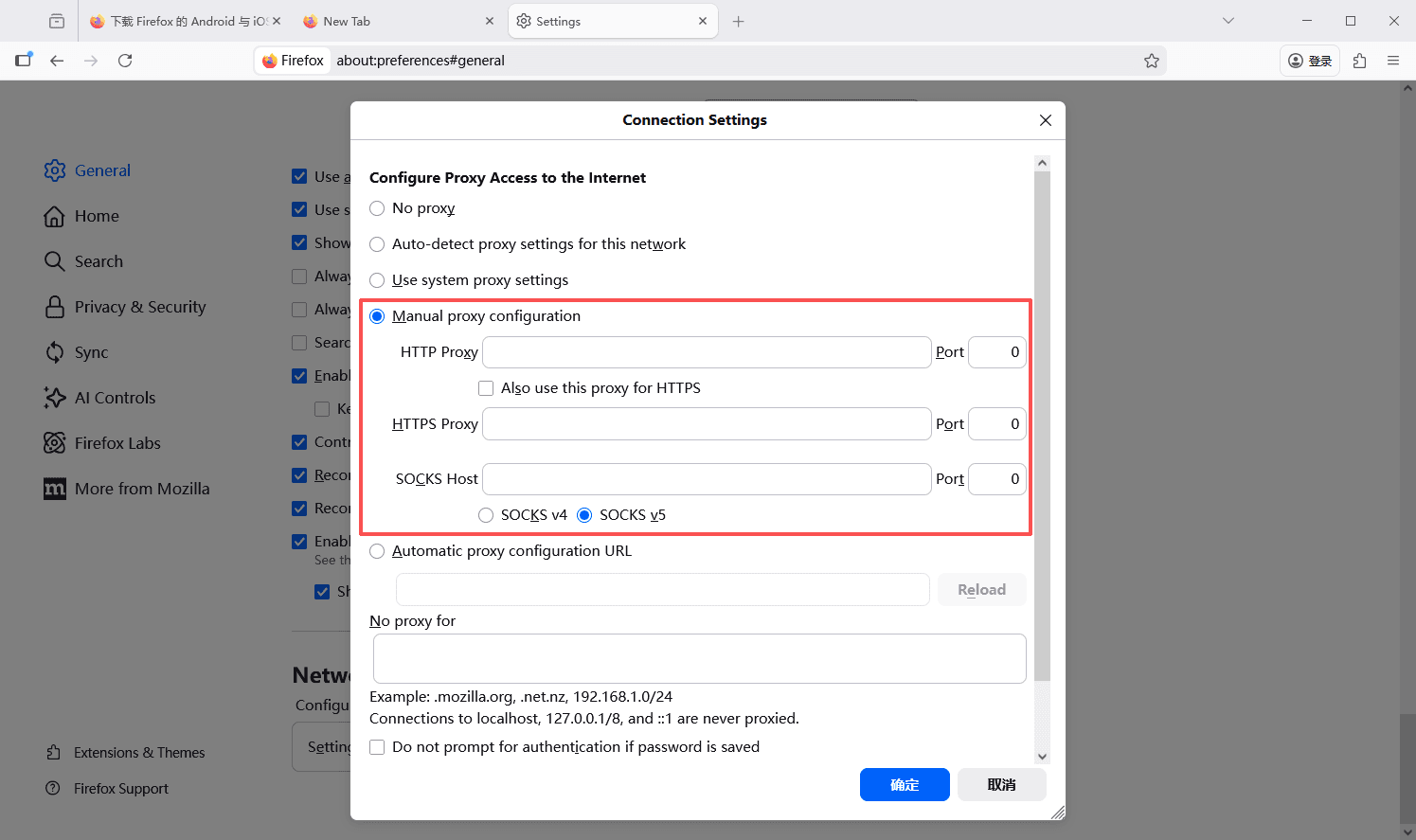
4. After saving the settings, Firefox will access 4chan through the proxy server.
Using Proxy Software
In addition to setting up proxies directly in the browser, you can also use dedicated proxy software to configure proxies.
1. Download and install proxy software.
2. Input the IP address, port number, and protocol (usually SOCKS5 or HTTP) of the proxy server you purchased in the software.
3. After saving the settings, the proxy software will route your network activities through the proxy connection.
4. Launch your browser and visit 4chan, ensuring all activities are routed through the proxy.
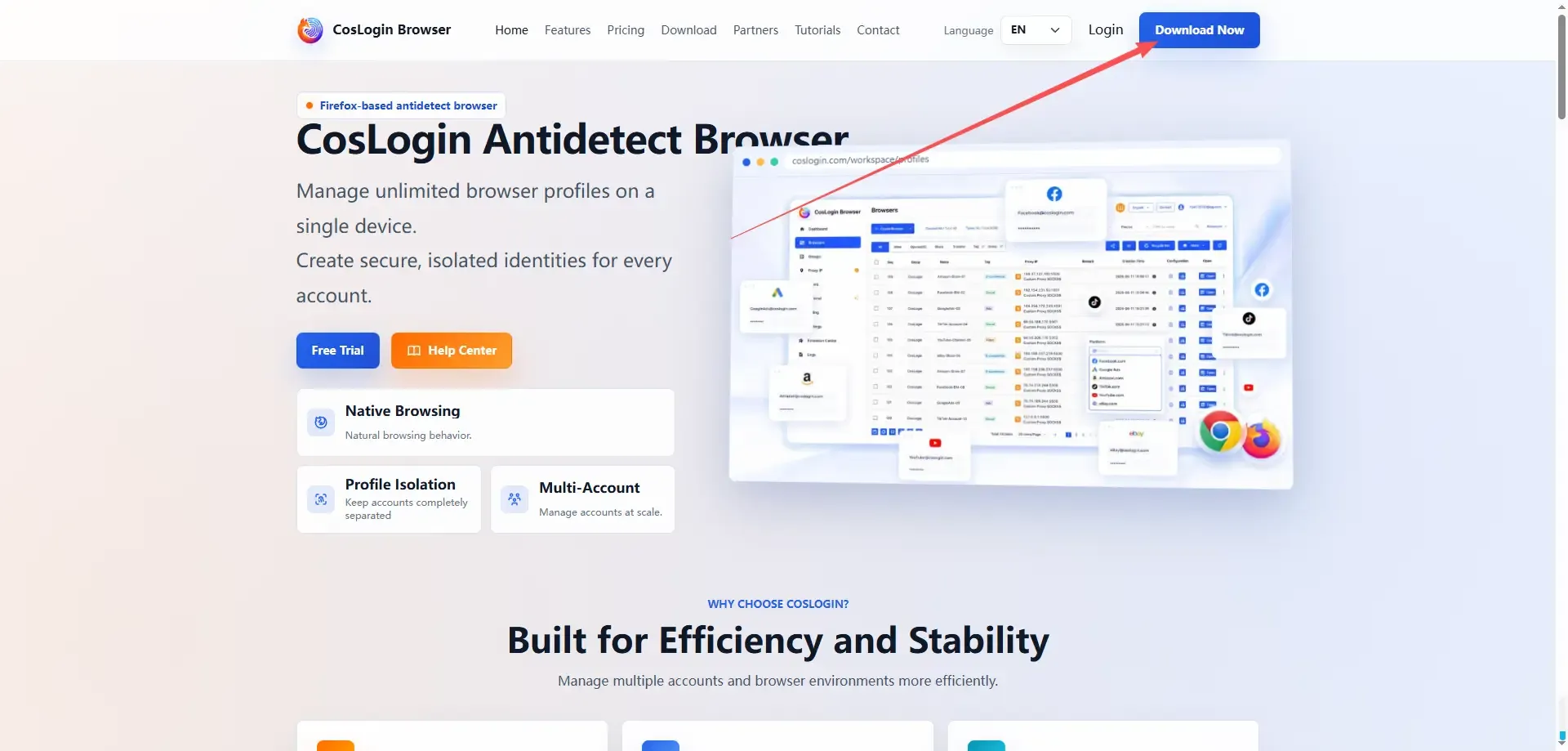
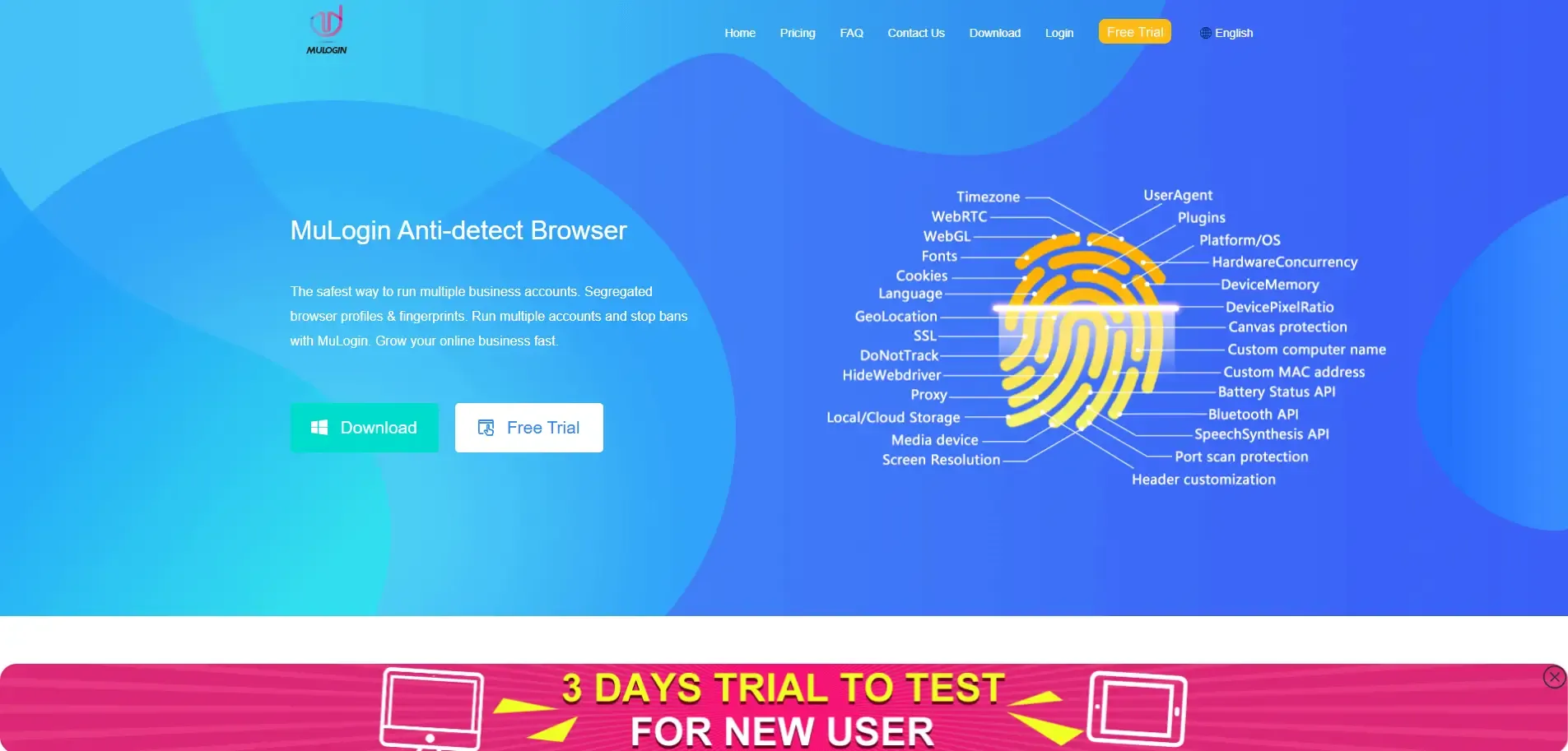
Using Anti-Detection Browsers
1. Download and install a suitable anti-detection browser.
2. Create a project in the anti-detection browser and configure the proxy.
3. Launch the browser window you created and visit 4chan.
Be Aware of the Legal Compliance of Proxy Services
While proxies can help protect your privacy, some local laws may restrict or prohibit the use of proxies to access certain websites. When using proxies, please ensure you understand the relevant laws and regulations and comply with local internet usage policies.
Conclusion
By choosing the right proxy service, correctly configuring proxy settings, and regularly changing IPs, you can enjoy a safer and freer internet experience while remaining anonymous.
IPDeep provides high-quality proxy IPs, including:
and various other types of proxies, with over 10 million high-quality IP resources covering more than 200 countries and regions worldwide. Create an account now and try accessing 4chan using proxy IP!