How to Access US Websites Using a Dynamic IP



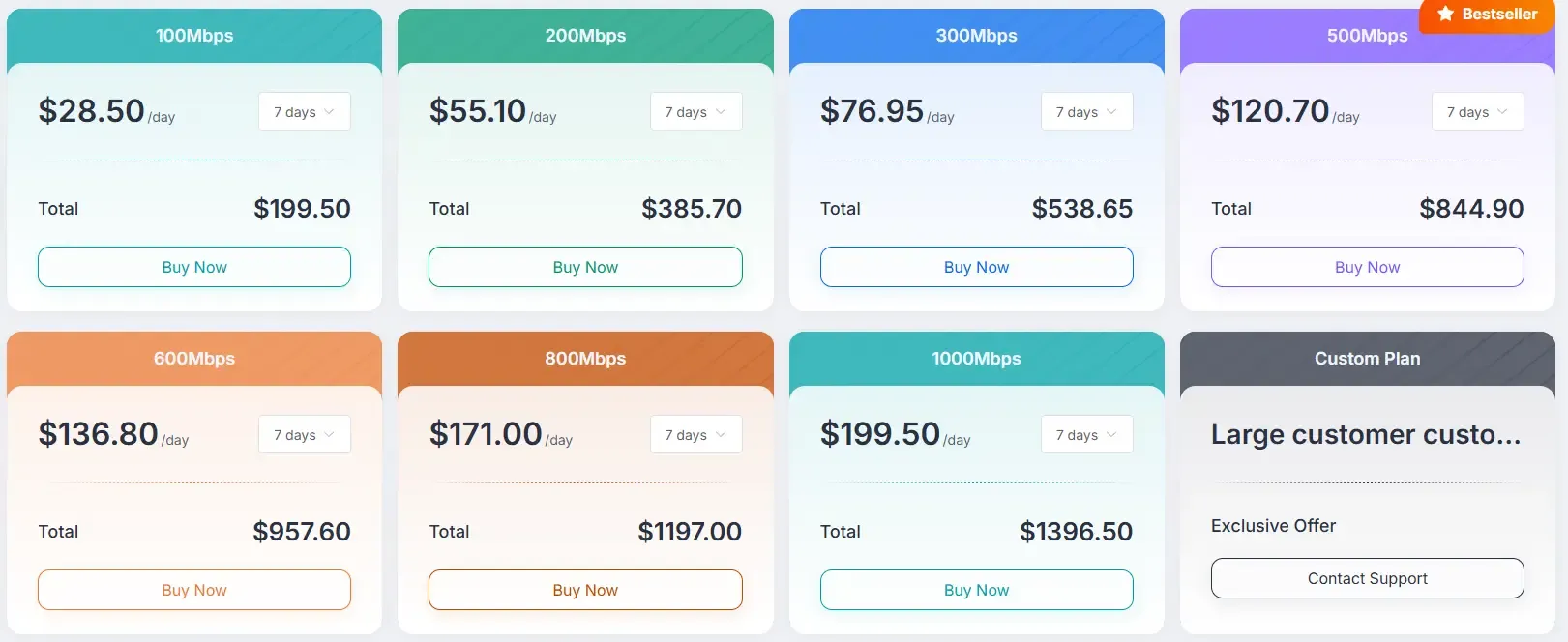
Clean IP picks: Static IPs from $1.5 each, Dynamic IPs from $0.5/GB


In today’s fast-paced internet era, accessing US websites can sometimes encounter regional restrictions or IP blocks. Dynamic IPs, as a flexible networking solution, help users bypass these limitations and access websites smoothly. This article will explain the principles, selection tips, and setup methods of dynamic IPs, enabling you to easily access US websites.
1.What is a Dynamic IP?
A dynamic IP is an IP address automatically assigned by an ISP (Internet Service Provider) each time you connect to the network, rather than a fixed static IP.
Characteristics of Dynamic IPs:
1. Low cost: Compared to static IPs, dynamic IPs are more affordable.
2. Frequent changes: Each network connection may assign a different IP.
3. Privacy protection: Continuously changing IPs can reduce the risk of tracking or blocking.
Dynamic IPs are suitable for scenarios that require flexible access to websites in different regions or large-scale requests, such as data scraping, social media management, and cross-border e-commerce monitoring.
2. Why Choose Dynamic IPs to Access US Websites?
When accessing US websites, users may face the following issues:
• Frequent security verifications when logging into accounts
• Restrictions for non-US IP access
• Multiple requests being blocked or limited
Using dynamic IPs can address these issues:
1. Bypass regional restrictions: By using a US dynamic IP, your access will appear as if you are browsing locally in the US.
2. Reduce blocking risk: Frequently changing IP addresses lowers the risk of a single IP being blocked.
3. Choosing the Right Dynamic IP Service
To successfully access US websites, you must choose a reliable dynamic IP provider. Consider the following points:
1. IP Quality
• Prefer real residential IPs or high-anonymity data center IPs
• Avoid IP ranges that are overused or blocked
2. Geographic Coverage
• Ensure sufficient US nodes
• For region-sensitive websites, choose IPs from different states
3. Supported Protocols
• HTTP, HTTPS, SOCKS5
• Supports VPN or proxy software integration
4. Stability and Speed
• High-quality dynamic IPs should provide stable access speed
• Low latency, suitable for video streaming, online office work, etc.
4. How to Use Dynamic IPs to Access US Websites
To use dynamic IPs, you need to find a reliable proxy IP provider, such as IPDEEP.
IPDEEP is a highly professional proxy IP provider in 2026, supporting static, dynamic, mobile, and data center IPs. New users receive 200MB free upon registration, with over 10 million IPs in the pool, covering 200+ countries and cities, offering low-latency high-speed connections, and 24/7 technical support.
Methods to configure dynamic IPs to access US websites:
Method 1: IPDEEP Proxy + Fingerprint Browser
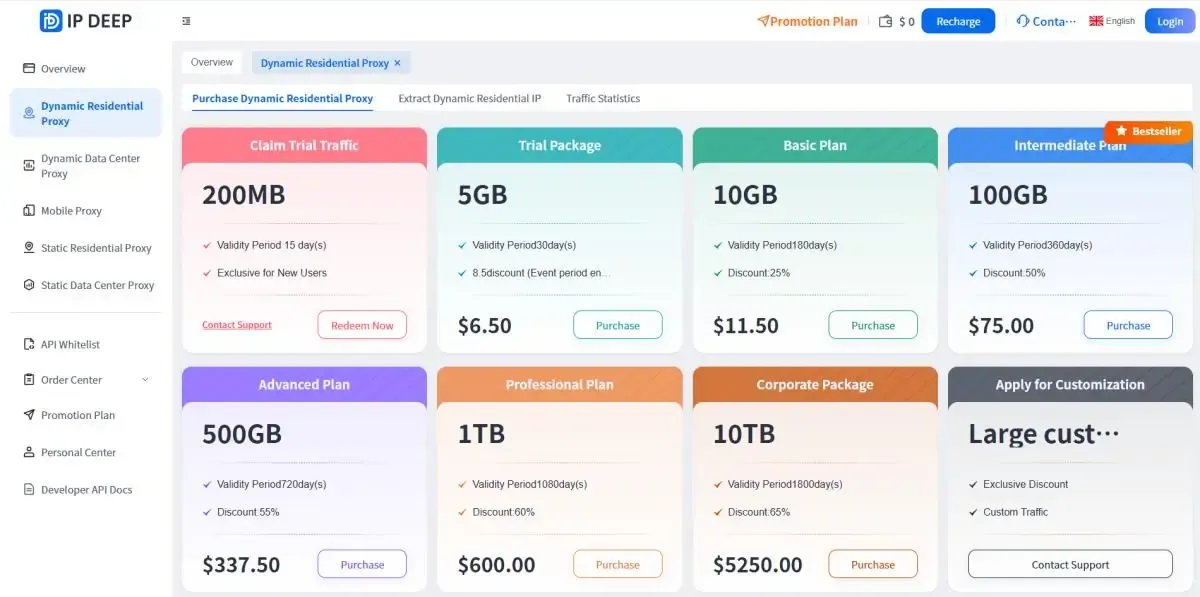
1. Purchase a dynamic IP package from IPDEEP (pay-as-you-go)
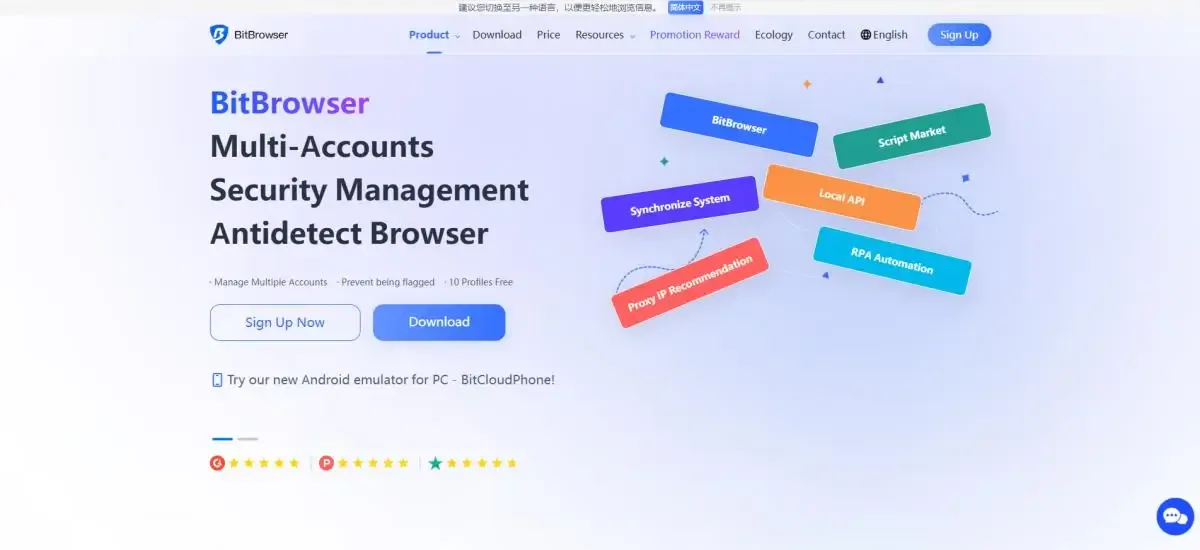
2. Download a fingerprint browser that supports proxy configuration (such as Bit Browser, Adspower, Gologin, etc.)
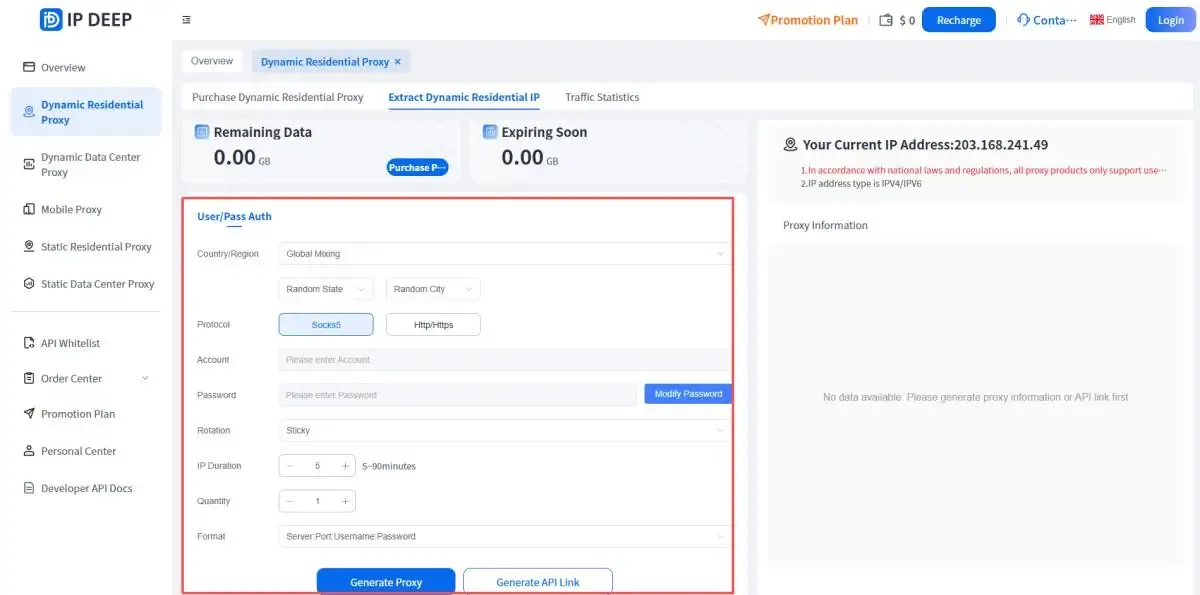
3. Obtain IPDEEP dynamic IP information (host, port, username, password)
4. In Bit Browser, locate proxy settings and fill in the information
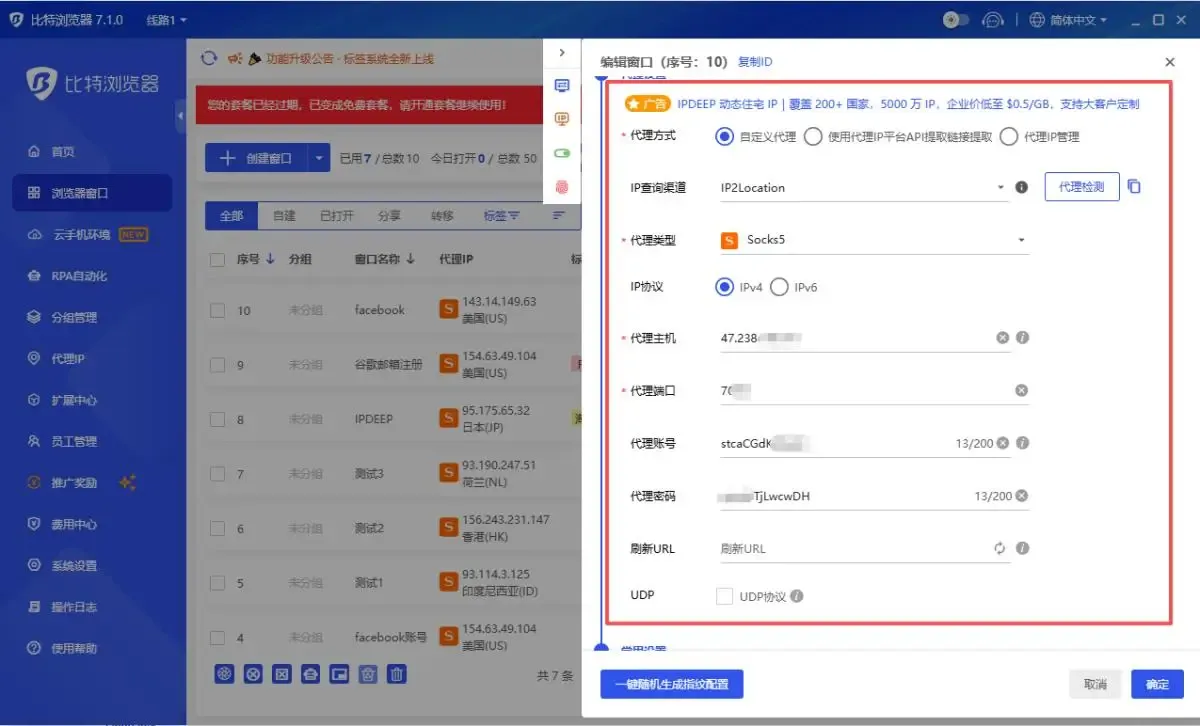
5. Click confirm and launch the window to access US websites.
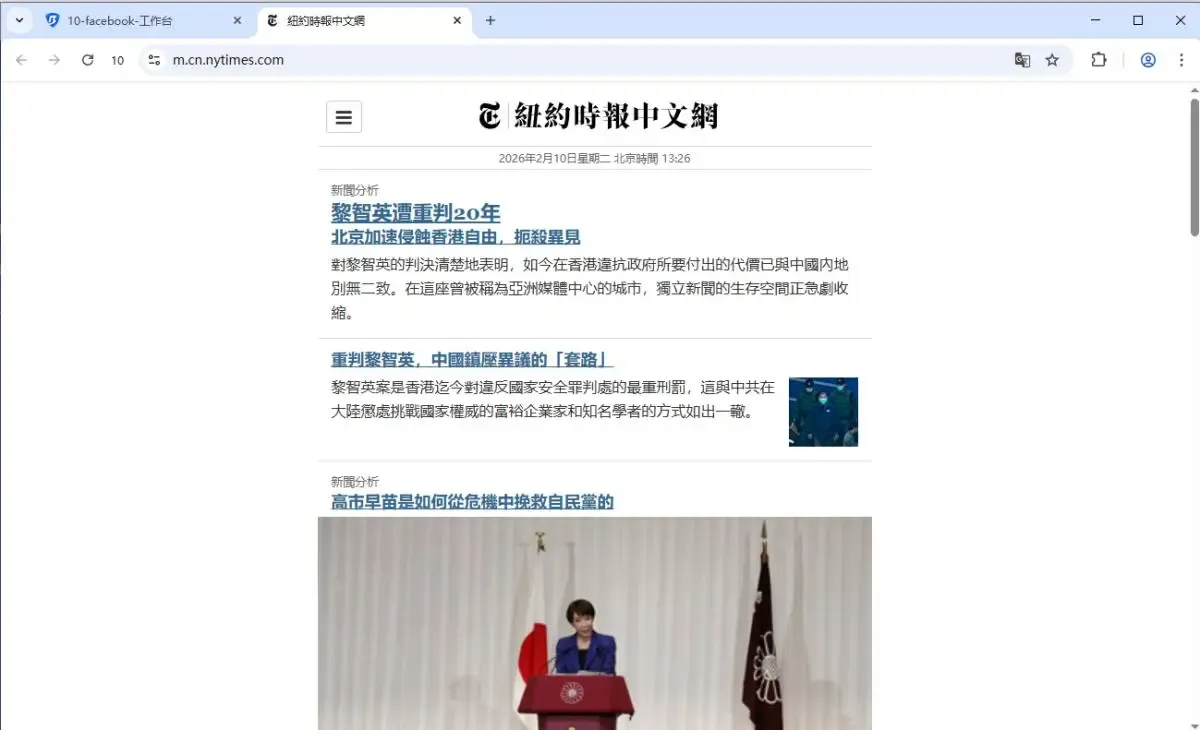
Advantages: Simple setup, suitable for individuals or teams.
Note: Use a reliable proxy to avoid IP repetition or abuse.
Method 2: Configure Dynamic IP Directly in Browser
1. Use a browser that supports proxy settings (Chrome/Firefox, etc.)
2. Go to the browser proxy settings and enter the IP, port, and login credentials provided by the dynamic IP service
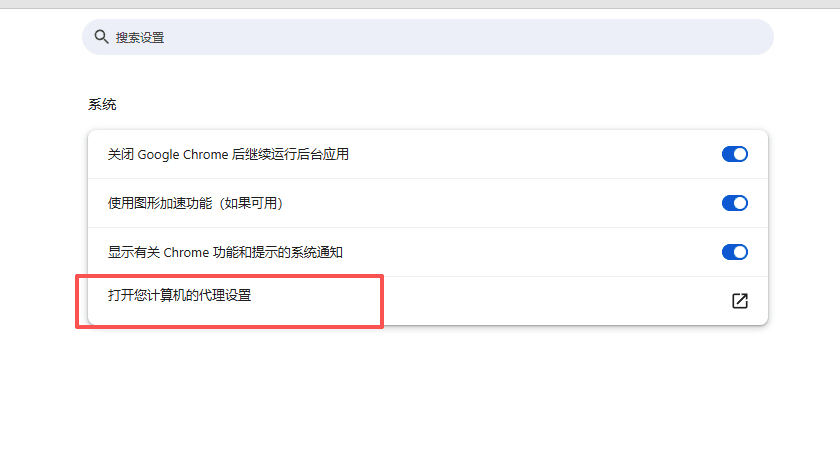
3. Save and refresh the browser to access US websites
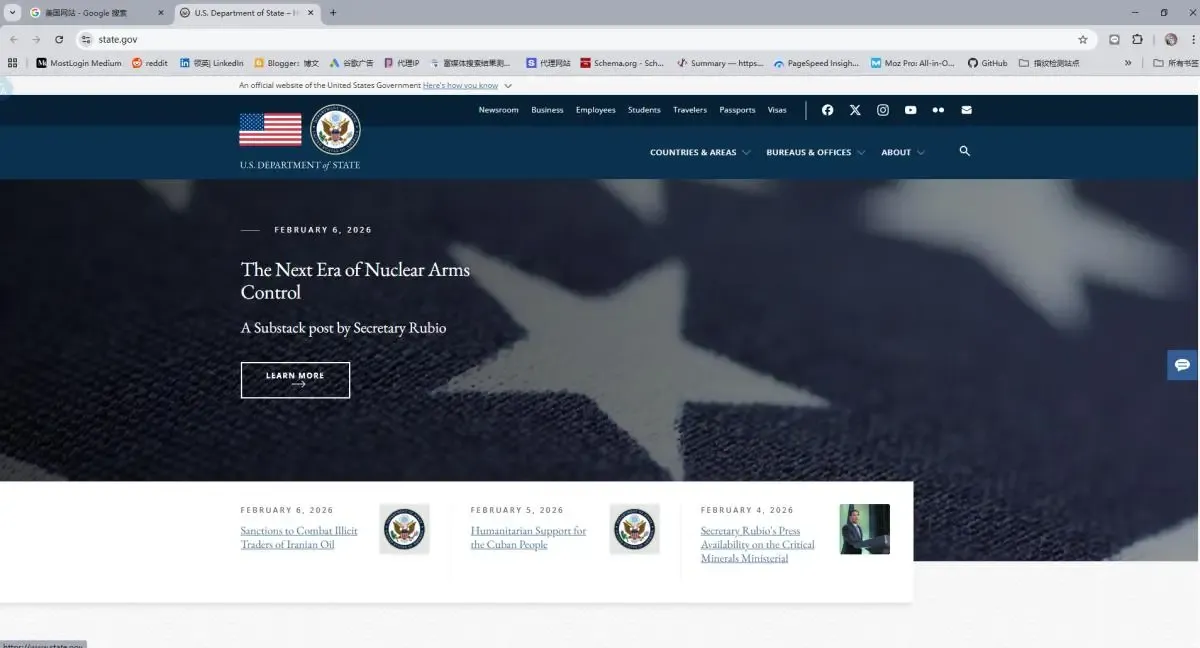
Advantages: No extra software required, operate directly in the browser
Note: IP switching may be slower than professional proxy software like Bit Fingerprint Browser
5. Summary
For users who want stable and high-speed access to US websites, choosing a professional proxy IP provider like IPDEEP is crucial. IPDEEP offers a dynamic IP pool covering the US and worldwide, low-latency high-speed nodes, and supports fingerprint browsers and multiple proxy protocols. This helps individuals and businesses access target websites quickly and safely, ensuring smooth browsing and account security.
6. Frequently Asked Questions
Q1: What’s the difference between dynamic IP and static IP?
Dynamic IPs are assigned a different IP each time you connect, while static IPs remain fixed. Dynamic IPs are cheaper and more private but may change frequently; static IPs are stable, suitable for long-term fixed access.
Q2: Can dynamic IPs be blocked by websites?
Using low-quality IPs or frequently switching the same website’s IP may trigger blocking. Using a reliable IP pool and proper rotation strategy reduces the risk.
Q3: How can individuals quickly configure a dynamic IP?
You can quickly access US websites via a fingerprint browser or browser proxy settings by entering the dynamic IP, port, and login credentials provided by your IP service.