How to Use a Proxy to Unblock YouTube?



Clean IP picks: Static IPs from $1.5 each, Dynamic IPs from $0.5/GB


On the world's largest video platform YouTube, a vast amount of content is at your fingertips. However, in certain network environments, you may encounter messages like "This content is not available in your region" or may be unable to access it at all. In such cases, a "proxy" becomes the solution for many users. So, how does a proxy help you unlock YouTube? And how should you use it correctly? This article will guide you step by step.
Why is YouTube Restricted?
YouTube's access restrictions typically stem from the following aspects:
Geographic Restrictions (Geo-blocking): Some videos are only available in specific countries or regions.
Network Environment Restrictions: Schools, companies, or public networks may block entertainment websites.
Bandwidth Restrictions (ISP Throttling): ISPs may throttle video traffic.
These restrictions are essentially based on your IP address to determine access.
The Principle of Unblocking YouTube with a Proxy
Under normal circumstances, your path to access YouTube is:
👉 Your device → YouTube server
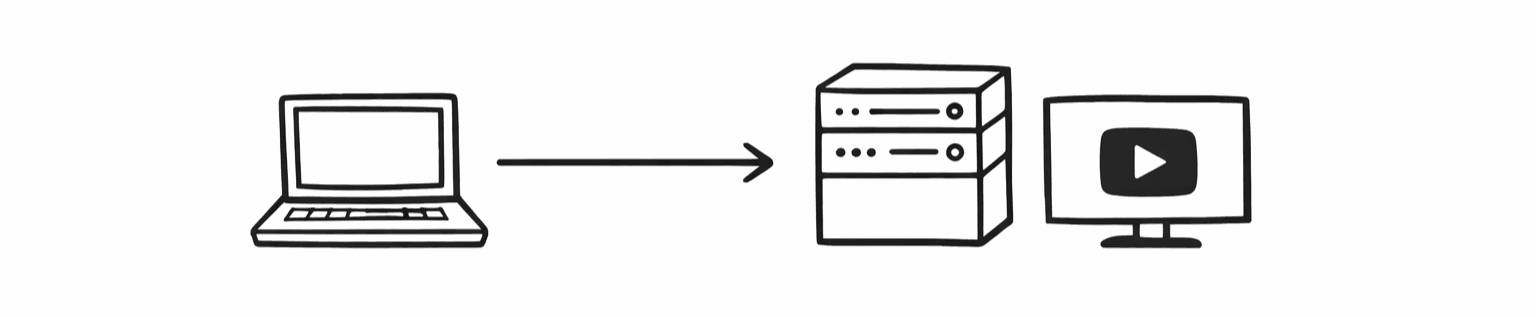
After using a proxy, the path changes to:
👉 Your device → Proxy server → YouTube server
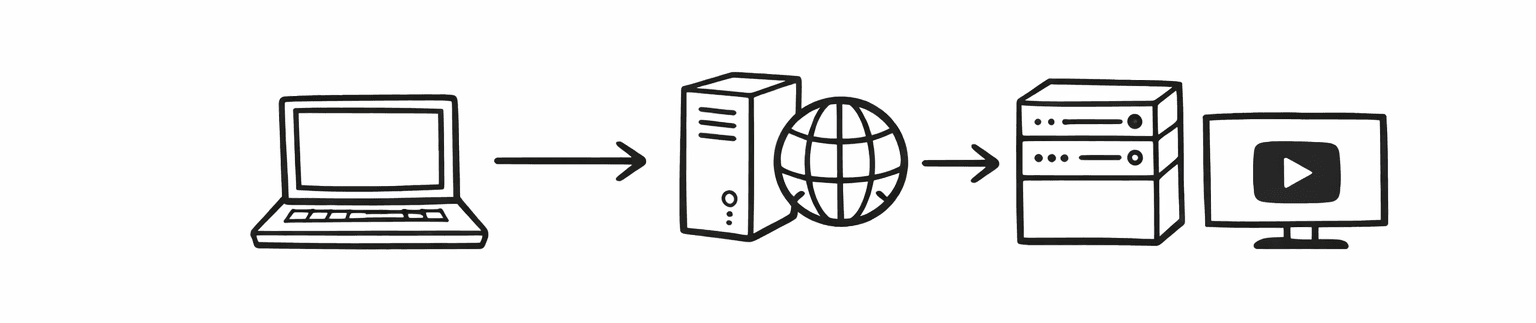
The proxy server will "act on your behalf" to access YouTube and forward the content to you. This way, YouTube sees the proxy IP instead of your real IP.
If this proxy IP is located in a country without restrictions (such as the US, Japan, etc.), then you can successfully access or watch restricted content.
HTTP/S vs SOCKS5: How to Choose?
1. HTTP / HTTPS Proxy
Suitable for browsing the web and watching YouTube
Simple configuration, suitable for beginners
HTTPS supports encryption, which is more secure
2. SOCKS5 Proxy
Supports all traffic (video, gaming, downloads, etc.)
Better stability, lower latency
More suitable for long-term use
👉 Recommendation: If you are just watching YouTube, HTTP/HTTPS is sufficient; if you pursue stability and speed, choose SOCKS5.
Data Center Proxy vs Residential Proxy: How to Choose?
Dimension | Data Center Proxy | Static Residential (ISP) | Dynamic Residential |
|---|---|---|---|
| YouTube Recognition | Low (easily identified as a bot) | Very High (considered a real user) | High (but frequently changes) |
| Video Playback Smoothness | Excellent | Outstanding | Poor (limited by others' bandwidth) |
| Unlock YouTube TV | Basically not possible | Supported | Supported |
| Billing Method | Monthly / By bandwidth | Monthly / By IP | By traffic (extremely expensive) |
| Best Use | Temporary video watching | Long-term viewing / account nurturing / subscriptions | Automated data collection |
Key Tips to Enhance Experience
YouTube Premium Cross-Region Subscription
Due to YouTube's geographic pricing, subscription prices vary greatly between countries (such as Turkey, Argentina, India, etc. where prices are extremely low), and many users use proxies to obtain subscription "discounts".
Note: YouTube has strengthened its detection of the consistency between the credit card issuing location and IP in recent years. It is recommended to use the native IP node of that country during payment, along with a local virtual credit card.
Risks and Precautions
Data Security
Proxy servers can see your traffic → Avoid logging into accounts or entering passwords on untrusted proxies.
Free Proxy Risks
Traffic may be hijacked; advertisements or even malicious code may be injected.
Platform Risk Control
YouTube may detect abnormal IPs → Frequent IP switching may trigger verification.
Conclusion
A proxy essentially acts as an "intermediary," replacing your IP address to bypass regional or network restrictions, allowing you to access YouTube. If you plan to use it long-term, it is recommended to choose a stable paid proxy service.
IPDeep provides high-quality proxy IPs, with over 10 million high-quality IP resources covering more than 200 countries and regions worldwide, capable of providing stable and reliable network support for different scenarios.
Frequently Asked Questions
1. Is it safe to use a proxy to access YouTube?
Using a proxy is safe in itself, but only if you choose a reliable provider; free proxies carry the risk of being monitored or hijacked.
2. Why can proxies unlock YouTube?
YouTube determines user location based on IP address.
Proxies replace your real IP, making the platform mistakenly believe you are in another country, thus lifting restrictions.
3. Will using a proxy result in account bans?
There is a certain risk, especially if you frequently switch IPs, use marked proxy IPs, or log in from abnormal environments.
It is recommended to use stable, clean IPs and reduce frequent switching.