What is a Proxy Server? How to Set It Up?



Clean IP picks: Static IPs from $1.5 each, Dynamic IPs from $0.5/GB


In cross-border business, such as cross-border e-commerce, data collection, and social media marketing, the term "proxy server" is becoming increasingly common. Many people have heard of it, but are unclear about what it is, what it does, and how to configure it.
This article will provide a detailed understanding of proxy servers and guide you step by step in setting them up, helping you get started quickly.
What is a Proxy Server?
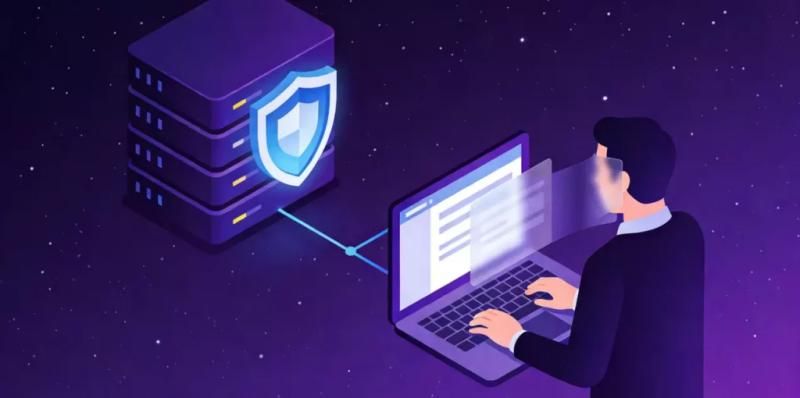
In simple terms, a proxy server is an "intermediary". When you access a website, the request is not sent directly to the target server, but first goes through the proxy server, which then forwards it.
To illustrate with a simple flow: Your device → Proxy server → Target website
This mechanism brings various benefits, including:
• Avoiding IP blocks, CAPTCHAs, and user fingerprint recognition
• Bypassing access restrictions to access content from different regions
• Hiding your real IP address
• Enhancing security
Common Types of Proxy Servers
Different types of proxies are suited for different scenarios, so choosing the right one is crucial.
1. HTTP Proxy (Basic)
• Supports only web access (HTTP / HTTPS)
• Simple to configure, suitable for browser use
Suitable for: Daily browsing, simple testing
2. SOCKS5 Proxy (Versatile)
• Supports TCP/UDP protocols
• Can be used for gaming, downloading, web scraping, etc.
Suitable for: Cross-border operations, automation tasks, complex network environments
3. Data Center Proxy (High Speed)
• Comes from server farms
• Fast speed, but weaker anonymity
Suitable for: Large-scale web scraping, bulk requests
4. Residential Proxy (High Anonymity)
• Comes from real user networks
• Harder to detect and block
Suitable for: TikTok operations, multi-account management, data collection, etc.
How Proxy Servers Work
Many people think that proxies just "change IPs", but their function is deeper.
When you use a proxy:
1. The request is first sent to the proxy server
2. The proxy server accesses the target website on your behalf
3. The website returns data to the proxy
4. The proxy then forwards the data to you
Use Cases for Proxy Servers
Proxy servers are not "black technology"; they have become basic tools in many industries:
Cross-border E-commerce / Social Media Operations
Simulate user environments from different regions
SEO Monitoring
View search results from different regions
Data Collection / Web Scraping
Avoid IP bans and increase success rates
How to Choose a Reliable Proxy Service Provider?
When choosing a proxy, it's not just about the price; you should also consider:
1. IP quality (whether it is clean)
2. Coverage areas
3. Stability and success rate
4. Whether it supports SOCKS5
5. Whether it provides technical support
A good proxy is not just "usable", but "stable and usable in the long term".
Conclusion
In this article, I have explained in detail the content related to proxy servers. There are many proxy IP service providers in the market, and reviewing them may take us months, and not all providers support free testing. Fortunately, there is a solution, which is IPDEEP.
IPDEEP has over 10 million IP pool resources, covering more than 200 countries and cities worldwide, providing various types of proxy IPs:
• Dynamic Residential IP: Automatic rotation, real residential IP, highly anonymous
• Static Residential IP: 99.9% online rate, real residential IP address, long-term fixed
• Mobile Proxy IP: Real 4G/5G cellular network, pure mobile operator IP pool
• Dynamic Data Center: Millisecond response speed, tens of thousands of concurrent capabilities, perfectly suited for large-scale data collection, load testing, and other high-frequency scenarios
• Static Data Center: Long-term stable fixed IP address, guaranteed gigabit bandwidth
In addition, as one of the best SOCKS5 proxy service providers on the market, it also offers IP rotation, location filtering, and long sessions.
With its extensive global network and large IP pool resources, IPDEEP ensures excellent availability, reliability, and performance. If you need assistance, you can get support through IPDEEP's technical support.
Overall, IPDEEP excels in all aspects discussed in this guide, making it one of the best proxy server providers available.
Frequently Asked Questions
Is a Proxy Server Safe?
It depends on the quality of the provider. Legitimate proxies are usually safe, but free proxies carry risks.
What is the Difference Between a Proxy and a VPN?
A proxy proxies part of the traffic, while a VPN encrypts all traffic, and proxies are more flexible, suitable for business scenarios.
What Proxy Should Beginners Choose?
It is recommended to prioritize: SOCKS5 Proxy or residential proxy.