Japan Dedicated Residential IP: Tokyo & Buying Guide



Clean IP picks: Static IPs from $1.5 each, Dynamic IPs from $0.5/GB


Japan is a mature digital market with strong consumer spending, making it an important destination for cross-border e-commerce, social media operations, and digital marketing teams. Many businesses need a stable network exit based in Japan.
However, a "dedicated Japanese residential IP" is not a one-size-fits-all product. Dedicated, static, and residential describe three different attributes. Choosing between Tokyo and Osaka and verifying the IP before purchase can all affect the actual user experience.
Rather than simply explaining the benefits of Japanese residential IPs, this guide focuses on what you should check before buying.

What Is a Dedicated Japanese Residential IP?
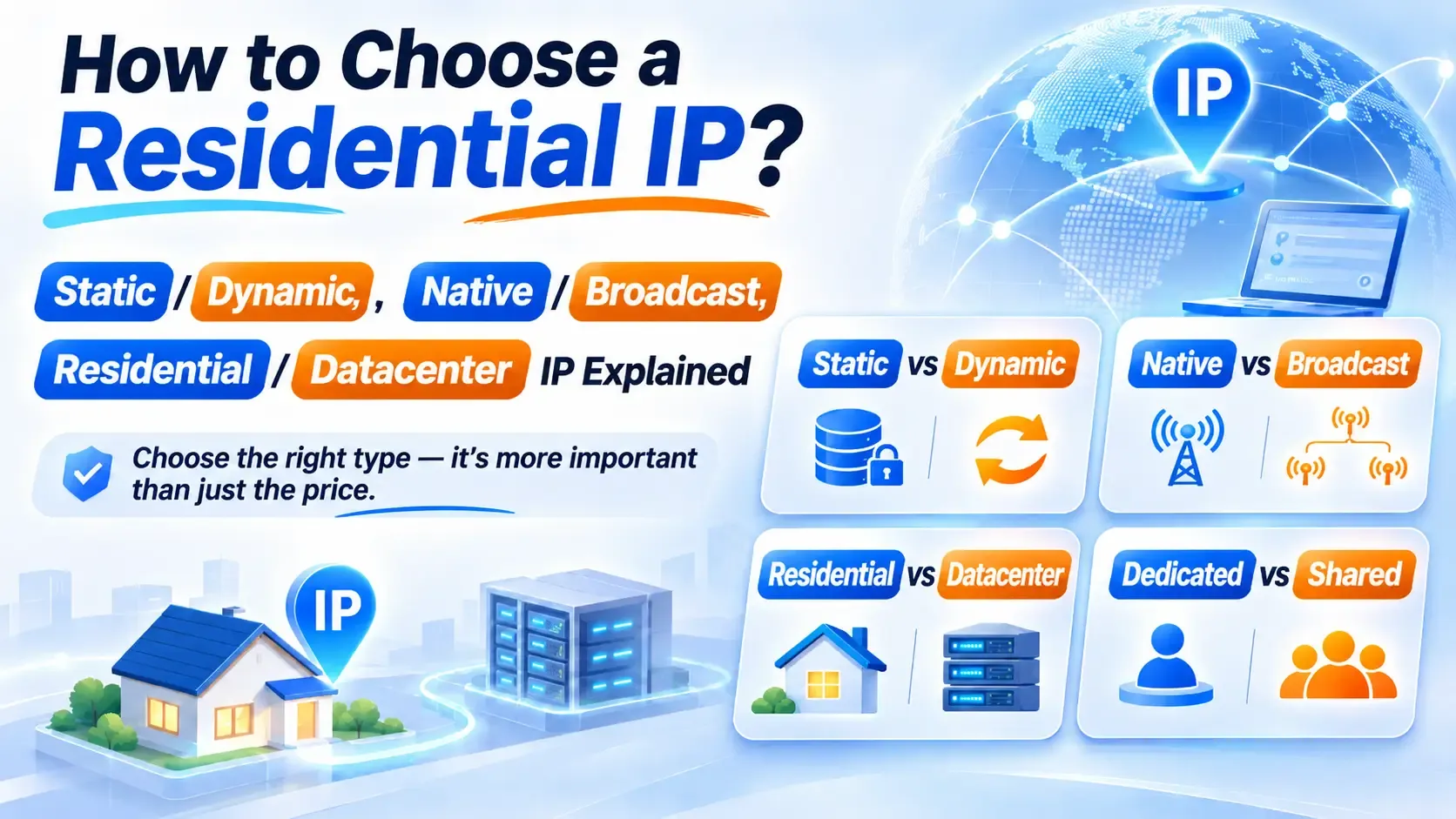
A "dedicated Japanese residential IP" combines three distinct attributes. Understanding each one separately helps you avoid being misled by marketing terminology:
These three attributes can exist together, but none of them replaces another. An IP can be residential, dedicated, and static, or residential, shared, and dynamic. Always verify each attribute separately before purchasing.
1. Residential IPs vs. Datacenter IPs
Residential IPs typically come from home broadband networks provided by local Internet Service Providers (ISPs). They differ from hosting IPs assigned by cloud service providers and data centers.
When verifying an IP, check its ASN, registered organization, IP usage type, and classification across third-party databases.
There are two common misconceptions worth addressing.
First, an ISP designation alone does not prove that an IP comes from a residential connection. Residential networks can use fiber, cable, or other access technologies, and Japan has more than three major providers. In addition to NTT, SoftBank, and KDDI, providers include Sony Network Communications and J:COM.
Second, ASN data generally identifies the organization operating a network, while "Residential" is a third-party database classification of an IP's usage type.
These are different fields. Classification standards also vary between databases, so there is no universal mechanism for simply changing a label to disguise a datacenter IP as residential.
2. Dedicated vs. Shared IPs
A dedicated IP is assigned to a single customer throughout the rental period, while a shared IP may be used by multiple customers. Shared IPs generally cost less, but other users' activities can affect the reputation of the same IP or exit pool.
Keep in mind that dedicated does not mean an IP has never been used by someone else, nor does it guarantee a clean usage history.
3. Static vs. Dynamic IPs
A static residential IP maintains the same exit address throughout the rental period, making it suitable for businesses that need a consistent network identity over time.
Dynamic residential proxies rotate IPs according to predefined rules, making them more suitable for accessing multiple regions and collecting publicly available data. The choice depends on whether your business needs a fixed exit IP or frequent rotation.
The table below compares three common proxy types:
Tokyo or Osaka: Which Japanese Location Should You Choose?
1. Tokyo's Network Infrastructure and Location
Tokyo is a major internet exchange and telecommunications hub in Japan. It hosts several internet exchange facilities, including JPNAP Tokyo and JPIX Tokyo, and generally offers a wider selection of network nodes and city-level IP locations.
However, the location of an internet exchange does not necessarily match the location of a residential proxy exit, nor does it directly indicate the quality of a Tokyo IP. Actual connection performance depends on the proxy exit, upstream ISP, and international routing.
2. How to Choose Between Tokyo and Osaka
Tokyo is not automatically better than Osaka. Choose based on your business requirements:
▸ For location-specific access in Tokyo: Choose Tokyo.
▸ For businesses targeting Osaka or the Kansai region: Consider testing Osaka first.
▸ If you have no specific city requirement: Compare actual latency, pricing, and availability.
Tokyo is geographically closer to parts of mainland China and Southeast Asia. However, actual proxy latency also depends on your local network, international routing, and residential exit connection.
Before purchasing, test available nodes in your actual operating environment. Check connection speed, packet loss, and long-term connection stability.
3. Localized Access and Location Matching
When accessing Japanese e-commerce platforms, social media, and regional services, an IP's country and city may affect search results, product pages, ad displays, and access to location-specific services.
When selecting a node, also check whether its IP geolocation, browser language, and system time zone match your testing requirements.
An IP address is only one of the signals platforms may use to determine a user's location. It does not independently determine content recommendations or account access decisions.
What to Check Before Buying a Dedicated Japanese Residential IP
Verify the ASN, ISP, and IP Type
Once you receive a test IP, follow these three steps:
1. Use IPinfo to check the ASN and registered organization.
2. Use IP2Location or MaxMind to check the IP type and geolocation.
3. Use tools such as Scamalytics to review potential risk indicators, then compare the results with actual connection performance.
Major Japanese broadband and internet providers include NTT, SoftBank, KDDI, and Sony Network Communications.
You can cross-check the ASN, registered organization, and third-party database results to identify the network provider. For example, AS17676 is associated with SoftBank, AS2516 with KDDI, and AS4713 with NTT Communications / OCN.
Different operating entities may use multiple ASNs. When verifying an IP, rely on its actual BGP announcement and registration information.
An ASN can help identify network ownership, but it cannot independently prove that an IP comes from a home broadband connection. Check the provider's resource information, compare multiple databases, and conduct actual connection tests.
Confirm Dedicated Access and IP Replacement Policies
Before purchasing, ask the provider whether the IP will be assigned exclusively to one customer throughout the rental period and whether the exit address will remain fixed.
Also check how the provider handles node failures, including IP replacement, reissuance, refunds, and whether a replacement IP can remain in the same city.
If your business relies on IP allowlisting or long-term login sessions, confirm in advance whether an IP change will affect your existing configuration. Dedicated does not mean an IP has never been used by someone else, nor does it guarantee a clean usage history.
Check Protocols, Bandwidth, and Concurrency Limits
Choose HTTP, HTTPS, or SOCKS5 based on your client's compatibility. In addition to protocol support, confirm the plan's bandwidth limit, concurrent connection limit, and whether traffic is capped.
DNS, WebRTC, and Browser Settings
Focus on three areas: whether WebRTC exposes a public IP address that should remain private; whether DNS requests follow the intended network route; and whether the browser language and time zone match your testing location.
Set language preferences according to your actual operating environment rather than following a fixed configuration template. Fingerprint browsers help isolate browser environments, but they cannot guarantee account security.
Technical Support
Before purchasing, check whether the provider offers reliable technical support, clear IP replacement policies, accessible plan limitations, and comprehensive terms of service.
For long-term business operations, support response times and the ability to resolve technical issues are equally important.
How to Choose IPDEEP Japanese Static Residential IPs
IPDEEP offers static residential IPs in Tokyo, Japan, with dedicated fixed exits, configurable bandwidth of up to 50 Mbps, and support for HTTP, HTTPS, and SOCKS5.
For an overview of product types and selection criteria, see our Japanese Static Residential IP Buying Guide. To compare available plans and pricing, visit our Japanese Static Residential IP Pricing Guide.
The table below matches common business requirements with suitable product types:
Availability of the latter two product types depends on the Japanese plans currently offered on the official website. When choosing a plan, first confirm your target city and then select a configuration based on your bandwidth requirements. The typical setup process in a fingerprint browser is as follows:
1. Log in to the dashboard, select a Japanese node, and retrieve the exit IP, port, username, and password.
2. Create a new browser profile and select the operating system and proxy protocol.
3. Enter the proxy details, test the connection, and verify the detected location and ISP information.
4. Visit an IP lookup tool to check the geolocation and time zone before starting your operations.
If you need a fixed Japanese exit for long-term use, visit the IPDEEP Japanese Static Residential IP Plans. Select your target city, such as Tokyo, and test the IP's network affiliation, connection stability, and bandwidth performance before deciding whether to purchase in bulk.
Frequently Asked Questions
Q1: Can a Dedicated Japanese Residential IP Guarantee Account Security?
No. A dedicated static residential IP provides a fixed Japanese network exit and reduces uncertainties caused by frequent IP changes or shared exits. However, account security also depends on the device environment, login behavior, and platform policies.
Q2: How Can I Verify Whether an IP Belongs to a Japanese ISP?
Use tools such as IPinfo and IP2Location to check the ASN, provider, and network type. Cross-check the results across multiple databases. Keep in mind that an ISP designation alone does not prove that an IP comes from a home broadband connection.
Q3: Why Does the Connection Speed of a Japanese Residential IP Fluctuate?
Performance fluctuations may result from the residential exit, proxy gateway, upstream ISP, or international routing. Test latency, packet loss, and connection stability during your actual operating hours, and confirm any bandwidth restrictions with your provider.
Q4: Can One Dedicated Static IP Be Used to Manage Multiple Accounts?
Yes. However, if different accounts require independent network environments, we recommend assigning separate proxy IPs and browser profiles to each account. Always follow the account management policies of the target platform.