




US Residential IP Lagging and High Latency at Night? 3 Common Causes and Fixes



Clean IP picks: Static IPs from $1.5 each, Dynamic IPs from $0.5/GB


A US residential IP that connects fine during the day can turn sluggish at night: pages load slowly, video buffers, and remote sessions stop responding promptly. This does not necessarily mean the IP has degraded. It can also come from the network route, bandwidth allocation, or the state of the target server.
Rather than swapping IPs every time this happens, watch time to first byte (TTFB) and actual download speed first. TTFB measures how long it takes from sending a request to receiving the first byte; download speed measures how efficiently data moves. Together they narrow down where the problem sits.
Where to Look First, by Symptom
| Symptom | Where to look first |
|---|---|
| Pages respond normally, large downloads are slow | Bandwidth allocation, other connections competing for it |
| Response times climb across many sites | International route, DNS resolution |
| Only one specific site is slow | Target server, CDN node |
| Connections drop and reconnect repeatedly | Packet loss, line stability |
1. US Residential IP Route Congestion at Evening Peak
Between 8 p.m. and 11 p.m. Beijing time, domestic internet demand is usually concentrated. A connection from mainland China to a US residential IP crosses the international gateway and several upstream carrier nodes, and some routes become congested, drop packets, or see latency climb.
When that happens, page response time can run longer than it does during the day even if download speed has not visibly dropped.
For a rough check, ping and tracert can help you inspect latency and routing. Keep in mind that an occasional spike at an intermediate hop does not mean the whole route is faulty; read it together with the hops that follow and with the actual result from the destination.
What to do: Compare connection behavior across different time windows, test egress routes in different US cities, and check local network and DNS resolution time. If latency keeps climbing across several destinations, ask your provider about the status of the upstream route.
2. Static IP Bandwidth Sharing and Concurrent Connections
A static residential IP is not the same as dedicated bandwidth. “Static” mainly means the IP address stays relatively fixed; bandwidth allocation, concurrent connection limits, and transfer rate all depend on the plan you bought.
During evening peak hours, shared bandwidth can fluctuate as more users come online. Local devices running file downloads, cloud sync, or video playback at the same time also eat into the available bandwidth.
Some network services also cap the rate of a single connection, which can make a single-threaded download slower than a multi-threaded one.
What to do: Pause background downloads and sync jobs, reduce unnecessary concurrent connections, and run single-threaded and multi-threaded speed tests in the same network environment. If speed is still off target, confirm how your plan allocates bandwidth and whether it caps per-connection rate.
3. Slow Responses from the Target Server or CDN Node
Sometimes the US residential IP itself connects normally, yet one particular website still stutters. That can come from load on the target server, CDN node assignment, or a specific network path.
The test is straightforward: keep the same IP and network setup and visit several unrelated websites. If the others load normally and only one site is slow, look at that site and the path to it first.
What to do: Check the target site's service status, clear any problematic browser cache, and compare access from different US egress regions. If the target server itself is failing, changing IPs is unlikely to improve access speed.
4. How Do You Measure Real Latency on a US Static Residential IP?
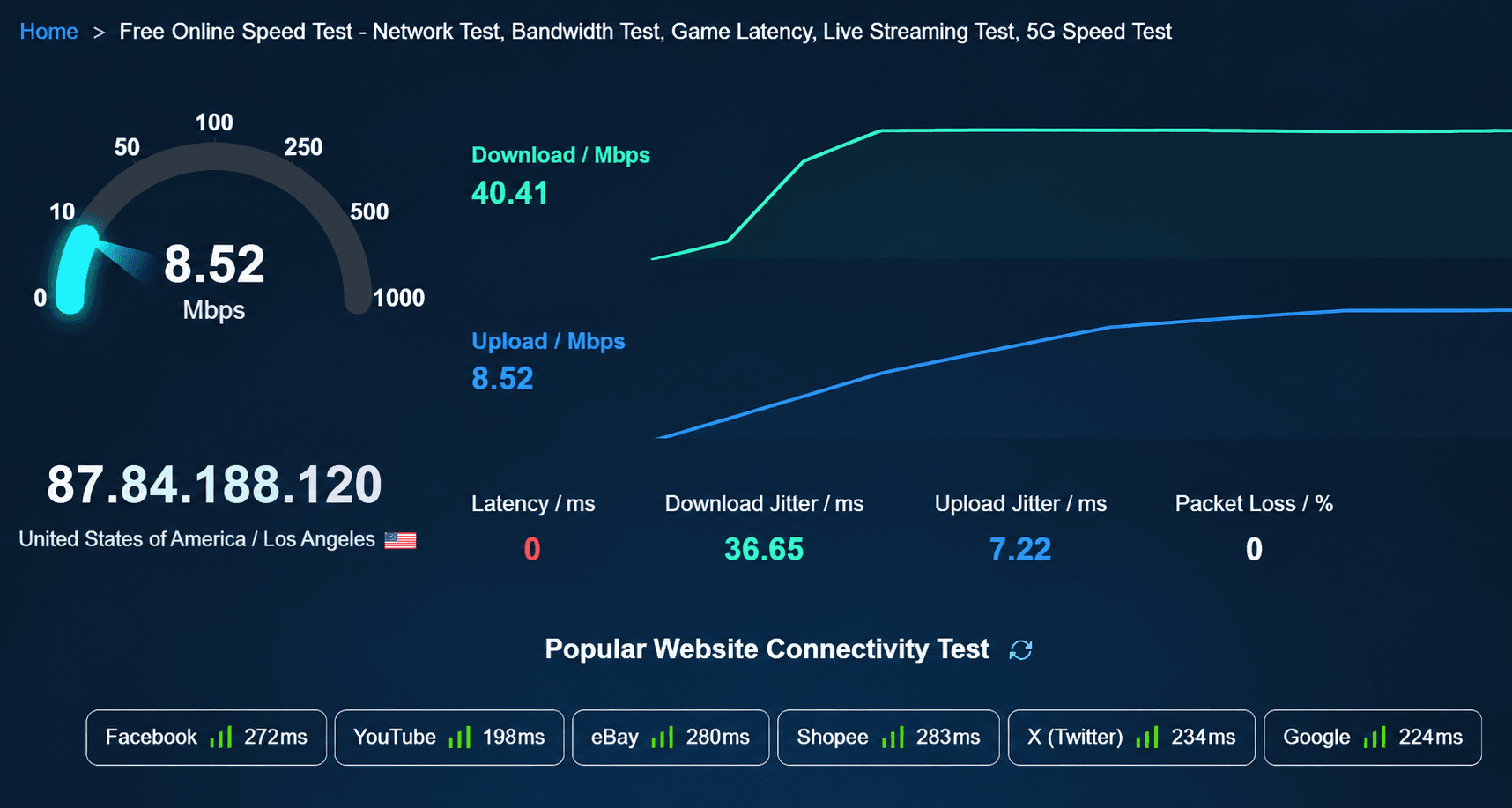
After connecting to a US static residential IP from IPDEEP, confirm that test traffic actually leaves through the current egress, then run speed tests from the same device against the same destination and read the metrics below.
| Metric | How to test | What an abnormal result points to |
|---|---|---|
| Network latency | Ping test | Latency clearly higher; check whether the route is congested |
| Time to first byte (TTFB) | Curl check | Longer response time; check the network path and server load |
| Download speed | Download a fixed test file | Speed keeps dropping; check bandwidth allocation and concurrent use |
| Packet loss | Send continuous ping requests | Rising loss; check the local network and line stability |
| Connection stability | Sustained browsing or file transfer | Frequent drops; check jitter and connection state |
Run three tests during the day and three during evening peak, then use the median as your reference. If latency rises but download speed barely changes, look at the network route first; if latency stays steady while download speed falls clearly, focus on bandwidth contention and transfer limits.
5. Bandwidth Is Not the Only Metric When Choosing a US Residential IP
A line rated at 100 Mbps works out to a theoretical download speed of roughly 12.5 MB/s, but actual speed is also shaped by line quality, protocol overhead, and the target server.
When choosing a US static residential IP from IPDEEP, look beyond the bandwidth figure on the plan: check the egress city, how bandwidth is allocated, concurrent connection limits, and how stable the address is. Actual configurations follow the official product page.
For everyday web browsing, remote work, or data transfer, a connection that holds steady matters more than a single speed test hitting a high number.
A US residential IP that stutters at night does not mean you have to change providers. Measure across time windows first to locate the problem, then act on the route, the bandwidth configuration, or the target server. That is usually more effective than cycling through IPs.