Static Residential IP vs. VPS: Which Is More Cost-Effective? 2026 Pricing, Stability & Use Cases Compared



Clean IP picks: Static IPs from $1.5 each, Dynamic IPs from $0.5/GB


Static residential IPs and VPS servers get compared a lot, especially when the job involves reaching overseas sites, verifying regional data, or running online services over the long haul. On paper, both give you a fixed IP address.
In practice, though, they don't solve the same problem. A VPS gives you compute; a static residential IP gives you a relatively fixed network exit. How to choose in 2026 isn't just about the monthly fee — line quality, use case, and ongoing maintenance all come into it.

1. So what's the actual difference between a static residential IP and a VPS?
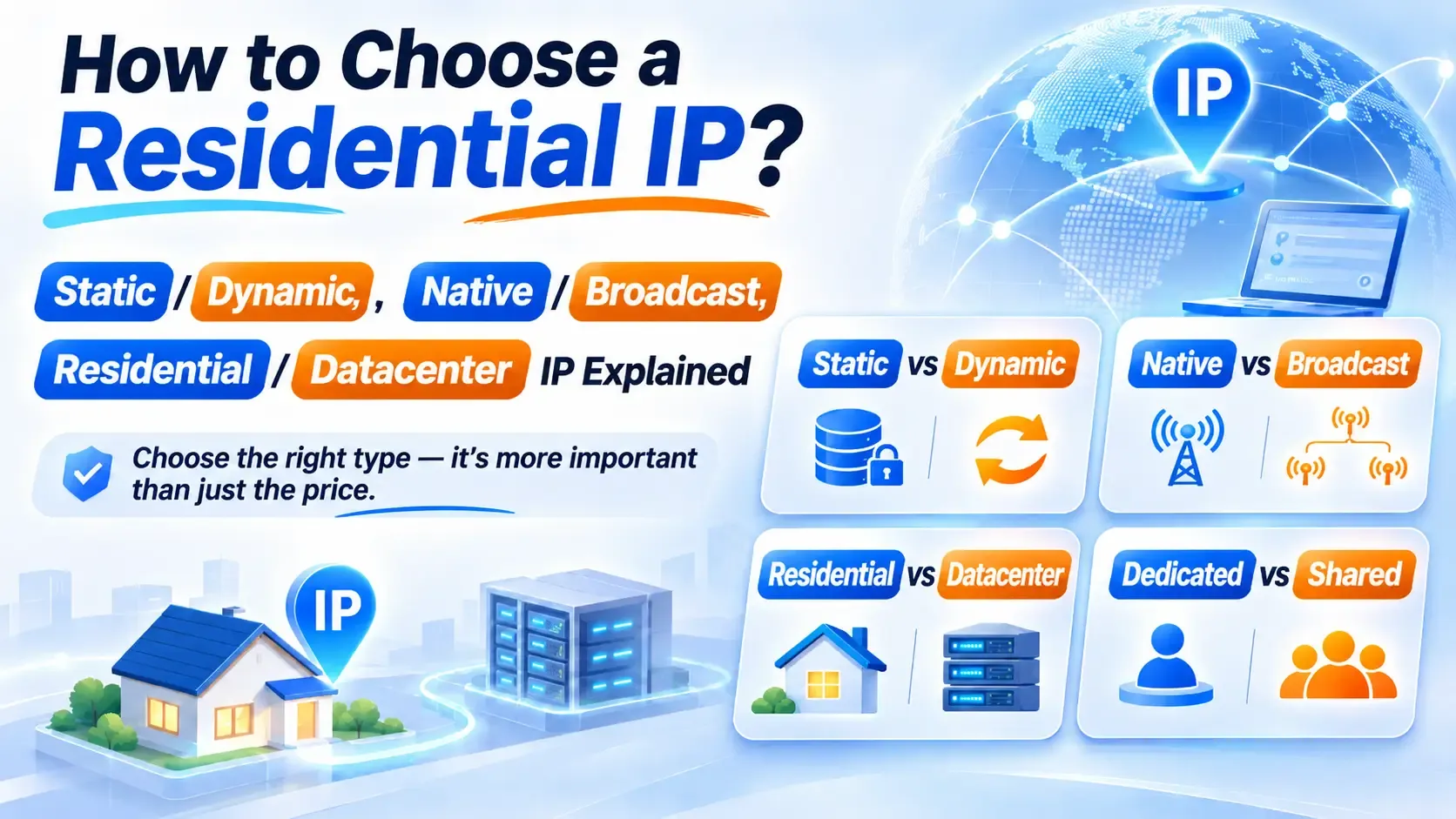
A static residential IP usually means an address allocated from a residential or ISP range that stays fixed for the length of your rental. These addresses carry clear ISP information, which is what makes them useful when a business needs a stable regional exit. That said, not every static residential IP sits on real home broadband hardware — it depends on the provider's line type.
A VPS, by contrast, is a virtual server running in a data center. You install the OS, deploy your programs, and set up the environment yourself. It comes with a data center IP, but its real value is CPU, memory, storage, and compute.
Put simply: need a machine to run programs, go with a VPS. Need a fixed network exit in a specific region, that's when a static residential IP deserves a closer look.
2. 2026 pricing: which one actually costs less?
Going by publicly listed 2026 pricing, the entry cost of a static residential IP and a VPS isn't as far apart as people assume. But the two deliver different resources, so a monthly fee on its own won't tell you which is the better value.
| Category | Static residential IP (IPDEEP) | VPS (DigitalOcean) |
|---|---|---|
| Entry price | About $3.5 per IP per month | About $6 per month |
| Higher tier | US NTT routing, around $4.5 per IP per month | 2 vCPU / 2 GB, around $18 per month |
| Core resource | Fixed residential network exit | CPU, memory, storage, and network |
| IP type | Residential or ISP range | Data center IP |
| Billing | Usually by IP count and rental period | By server spec and runtime |
| Extra costs | May involve bandwidth or hardware fees | May involve bandwidth, storage, and similar |
| Best for | Region-specific access, regional data checks | App deployment, data processing, long-running tasks |
Note: these are publicly listed reference prices. Actual costs vary by region, configuration, and plan — check the provider's site for current rates.
Looking at the cost structure: if you already have hardware to run things on and only need a fixed overseas exit, buying a static residential IP on its own tends to be cheaper. If you need to deploy programs or process data continuously, the VPS has the edge. For businesses that need both, a combined setup works fine — just make sure you add the server and IP costs together.
3. How do you compare stability? It comes down to the workload
VPS stability rests on the data center, the hardware, and the network route. Reputable providers run solid infrastructure, but cheap shared instances can still be hit by CPU contention and inconsistent disk performance.
With a static residential IP, what matters more is connection quality, whether the address stays available, and how accurate the regional data is. An IP that doesn't change doesn't mean latency that doesn't change. Upstream route adjustments, congestion, and maintenance can all affect what you actually experience.
So don't judge stability by the uptime number in the marketing copy. Test latency, connection success rate, and response times across different hours, repeatedly. For long-term projects, also ask about fault response times, IP replacement rules, and what support actually covers.
4. Static IP or VPS: how to choose
If the main work is running scheduled scripts, hosting a site, storing files, or processing data, a VPS is usually the more direct route. It runs your programs around the clock, and you can scale the specs as compute needs grow.
If you need to check product pricing, ad placements, search results, or page content across different overseas cities, a static residential IP is the better fit. Tasks like that have specific requirements about where the exit sits and what kind of address it is — a plain VPS won't necessarily get you there.
For workloads that need both compute and a fixed regional exit, pair a VPS with a static residential IP: the VPS runs the programs, the IP provides the regional connection. Bear in mind that a combined setup adds configuration complexity and extra network hops, so weigh it against your budget.
5. What else should you confirm before buying?
First, confirm whether the IP is dedicated. Shared and dedicated products differ in price and usage limits, so comparing the sticker price of a single IP doesn't tell the whole story.
Next, check the limits on bandwidth, throughput, and concurrent connections. Some plans look cheap per month until heavy traffic starts generating overage charges.
Then verify the IP's registration details. Check the ASN, the ISP name, and more than one regional database — don't lean on a single lookup result.
Finally, start with a monthly plan. Once you've run it for a while, decide whether to commit to a year. That way you confirm the route fits your workload before tying up a larger up-front payment.
So which one is the better deal?
There's no absolute winner on value between a static residential IP and a VPS. Need compute and long-running programs? VPS. Already have hardware and just need a stable overseas exit? A static residential IP is the more targeted choice. Need both? Consider using them together.
If you're ready to buy a static residential IP, IPDEEP offers routes in the US, Japan, Germany, and other countries and regions, so you can browse plans by target region, budget, and rental period.
Rather than chasing the lowest monthly fee, work out what the business actually needs first. Picking the right resource type saves more money than switching plans every few months.