A Step-by-Step Guide to Using Mobile Proxy IPs to Bypass Geo-Restrictions



Clean IP picks: Static IPs from $1.5 each, Dynamic IPs from $0.5/GB


When engaging in cross-border e-commerce, overseas social media operations, data collection, or even just trying to view certain region-restricted content, many people run into a frustrating problem — regional restrictions.
Many people’s first thought is to use IP tools. However, for long-term operations or high-frequency access, standard IP tools and regular proxy IPs are easily blocked or throttled.
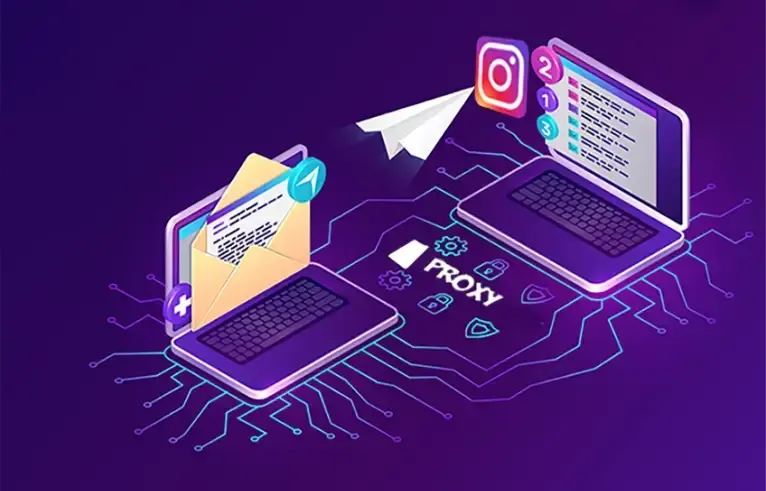
This is where mobile proxy IPs come into play. Based on real-world usage experience, this article will walk you step by step through how mobile proxy IPs bypass regional restrictions, and how ordinary users can start using them effectively.

1. Why Are Regional Restrictions So Hard to Bypass?
Today’s platforms no longer simply check “which country your IP is from.” Instead, they evaluate multiple factors:
• IP location
• IP type (residential / data center / mobile)
• Whether user behavior appears abnormal
• Frequent switching of accounts or devices
Ordinary IP tools or cheap proxy IPs usually rely on data center IPs. These IPs have very obvious characteristics and are easily identified, throttled, or even permanently banned.
This is why more and more people are turning to mobile proxy IPs.
2. What Is a Mobile Proxy IP? Why Does It Look More “Human”?
Simply put: a mobile proxy IP = an IP from a real mobile phone user.
These IPs usually come from major mobile carriers (such as 4G/5G networks) and have very distinct characteristics:
• High IP authenticity
• Distributed across real cities and base stations
• Automatically change with the mobile network
• Closely resemble normal mobile user browsing behavior
Compared to regular proxy IPs, mobile proxy IPs have clear advantages when it comes to bypassing regional restrictions and reducing the risk of triggering anti-fraud systems.
3. Core Principles Behind Using Mobile Proxy IPs to Bypass Regional Restrictions
1️⃣ Make the target website “think you are local”
When you use a mobile proxy IP from a specific country or city, the website detects a local carrier IP and naturally grants access to region-specific content.
For example: using a U.S. mobile proxy IP to access Netflix US, or a Japanese mobile proxy IP to browse Japan-based e-commerce platforms.
2️⃣ Reduce the risk of being identified as a proxy
Many platforms directly block known “proxy IP pools.” Since mobile proxy IPs are mixed in with real user traffic, they are much harder to detect and block.
3️⃣ Dynamic IP rotation for greater safety
Mobile IPs typically rotate dynamically. Even if an IP is temporarily restricted, switching to a new one allows operations to continue without affecting the entire account or business.
4. Step-by-Step Guide: How to Use Mobile Proxy IPs to Access Global Content
Step 1: Choose a Reliable Proxy IP Provider
There are many proxy IP providers on the market, but truly stable and clean ones are rare. Providers like IPDEEP stand out with clear advantages:
• Mobile proxy IPs across multiple countries and cities
• High IP purity and stable success rates
• Multiple access methods supported (API / IP whitelist, etc.)
If you are running a long-term project rather than a short test, choosing a stable provider will save you a lot of trouble.
Step 2: Define Your Target Region and Use Case
Before using a mobile proxy IP, ask yourself a few questions:
• Which country or city do you need to access?
• Is it for web browsing, account management, or data collection?
• Do you need high-frequency IP rotation?
Different scenarios place different demands on mobile proxy IPs.
Step 3: Configure the Proxy IP on Your Device or Program
There are three common methods:
1. Browser proxy extensions
2. System network proxy settings
3. Programmatic or API-based proxy integration
Providers like IPDEEP usually offer detailed integration documentation, making it easy even for beginners to get started.
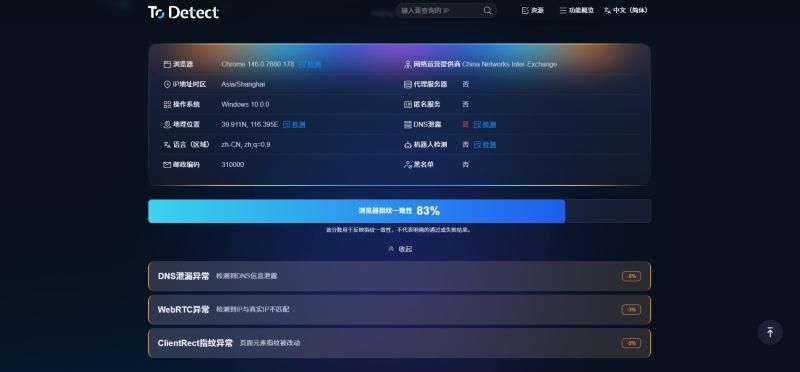
Step 4: Test Whether the IP Is Working
Don’t rush into production. Start with basic checks:
• Verify the IP’s country and city
• Check whether the target website is successfully unlocked
• Test access speed and stability
Once everything checks out, proceed with full-scale use.
5. Practical Tips When Using Mobile Proxy IPs
• Avoid switching IPs too frequently; overly aggressive behavior can trigger risk controls
• Use one IP for one type of activity whenever possible
• Prioritize proxies that support city-level targeting
• Avoid mixing multiple low-quality proxy providers
• Proxy IPs are not about being cheap — stability and cleanliness matter most
Conclusion
Mobile proxy IPs allow you to browse the internet “as a local,” making them a powerful tool for bypassing regional restrictions. Compared to standard proxy IPs, they are more realistic, more secure, and better suited for high-frequency operations.
By choosing the right provider (such as IPDEEP), using proper methods, and maintaining sensible operational habits, accessing global content is far easier than you might expect.
Remember: stability and security come first. Don’t chase cheap prices at the expense of quality. Use mobile proxy IPs correctly, and global content will be within easy reach — that’s the right way to do it.