How to Determine if a Mobile Proxy IP is Real?



Clean IP picks: Static IPs from $1.5 each, Dynamic IPs from $0.5/GB


In the proxy IP market, 'mobile proxy IP' has almost become synonymous with high quality and high success rates. However, as demand continues to grow, some service providers have started to confuse the market with 'fake mobile IPs' that appear to be 4G/5G but are actually disguised data center IPs or low-quality networks.
For users engaged in cross-border e-commerce and social media multi-account marketing, the authenticity of the IP directly determines account survival rates and business stability. So how can you determine if the mobile IP you are using is real?
First, clarify: What is a real mobile proxy IP?
A real mobile proxy IP must meet these three core conditions:
• The IP belongs to a mobile operator (not an IDC data center)
• Comes from a real SIM card (allocated by the operator)
• Accesses the internet through a mobile network (4G/5G)
In simple terms: Real mobile IP = extension of a real mobile network environment
Determining the Authenticity of Mobile Proxy IPs: Three Factors
Factor 1: Observe IP Behavior Characteristics
A real mobile IP not only has the correct 'identity', but its behavior must also resemble that of a 'mobile phone'.
Typical characteristics of a real mobile IP:
• Many users in the same IP segment (NAT sharing)
• The IP changes periodically (dynamic allocation)
• Network latency is unstable (affected by base stations)
• Geographic location may have slight drift
Characteristics of a fake mobile IP:
• Latency is abnormally stable (even very low)
• No location changes
• IP is fixed for a long time (like a server)
• Abnormal concurrency capability
Judgment logic:
If a 'mobile IP' behaves like a server, it is highly likely to be fake.
Factor 2: Check IP Source
High-quality real mobile proxy IPs usually have the following characteristics:
Real sources:
• SIM card pool (large number of operator cards)
• Local base station access
• Real device pool (mobile phone / USB modem)
Suspicious sources:
• VPN overlay disguise
• Cloud servers simulating mobile networks
• Virtual operators generating IPs in bulk
One-sentence judgment:
Whether it is 'hardware-driven' determines if the IP is real
Factor 3: Check HTTP Headers and Device Fingerprint Consistency
Key checks:
• Is the browser fingerprint reasonable?
• VPN overlay disguise
• Is the User-Agent a mobile device (iPhone / Android)?
Common issues:
• The IP is 'mobile', but the device is a Windows computer
• The IP shows 4G, but the browser fingerprint is clearly a PC environment
Conclusion:
A real mobile IP must match the mobile device environment; otherwise, it is easily identified as abnormal.
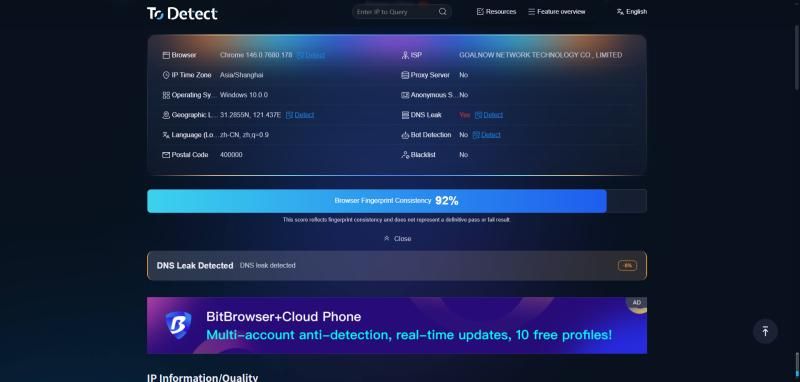
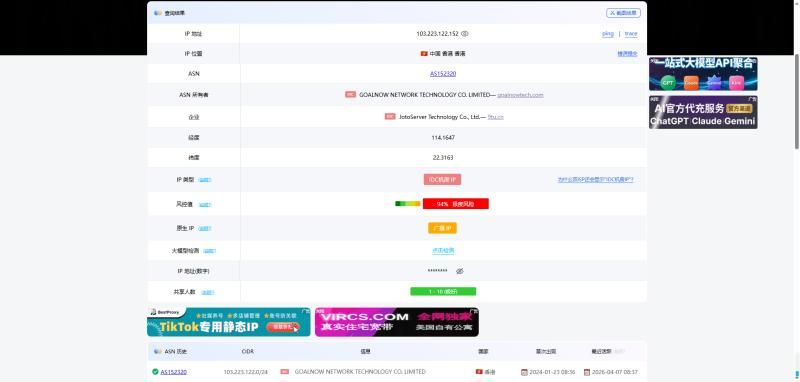
Although we can use the above three points to determine if an IP is a mobile IP, not all users understand the technology. In such cases, some browser fingerprint detection tools, such as ToDetect and Ping0, can be helpful.
1.ToDetect
This is a professional-grade browser fingerprint detection tool, offering free online detection. It can quickly check IP sources, DNS leak analysis, WebRTC detection, network speed testing, and generate detection reports, clearly showing whether the IP is a mobile IP or a fake IP.
2.Ping0
This is an IP information detection tool website, mainly used to help users quickly determine the 'type, quality, and risk situation' of the current IP. In simple terms, it is more like a 'health check tool' specifically designed for proxy users.
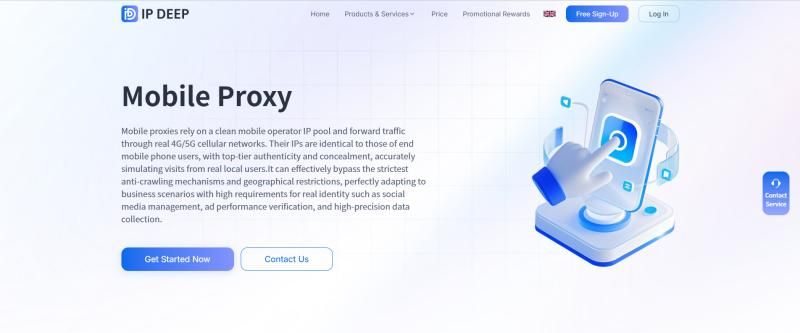
There are many service providers offering mobile proxy IPs in the market, such as IPDEEP, KooKeey, Bright Data, etc., which are well-known IP service providers. If you are unsure how to choose, you can try IPDEEP.
IPDEEP's mobile proxy IP relies on a clean pool of mobile operator IPs, forwarding through real 4G/5G cellular networks. Its IPs are indistinguishable from those of end-user mobile devices, offering top-notch authenticity and concealment.
FAQ
Why are some 'mobile IPs' actually fake?
Some service providers use data center IPs combined with VPNs or simulate mobile network environments to make the IP appear as 4G/5G, but they do not actually come from real operator networks. Such IPs are more easily recognized and banned by platforms.
Why are mobile proxy IPs more suitable for social media and cross-border businesses?
Because mobile IPs are closer to real user network environments, platforms have higher trust levels, resulting in lower account bans and higher success rates in scenarios like account registration, nurturing, and advertising.
Are mobile IPs always better than residential IPs?
Not necessarily. Mobile IPs are more suitable for high-risk scenarios (like TikTok, Facebook), while residential IPs have advantages in stability and regional coverage. The choice should depend on business needs.