ProxySite Not Working? 7 Fixes That Work



Clean IP picks: Static IPs from $1.5 each, Dynamic IPs from $0.5/GB


Many people think of using ProxySite when they need to temporarily access restricted websites. This online proxy doesn't require software installation; just enter the URL to access the target site, making it common in schools, company networks, or regions with restrictions.
However, many users encounter the issue: ProxySite suddenly won't open, or loads very slowly, or is completely unusable.
This situation is actually quite common, and the reasons may stem from network restrictions, browser issues, server load, or even faults with the website itself. Below, we have compiled 7 effective solutions that can generally resolve most issues with ProxySite not working.

1. Try a Different Browser
Browser cache, extensions, or security policies can sometimes affect the loading of proxy websites.
A simple method is to:
• Try a different browser
• Or use the browser's incognito mode/fingerprint browser
For example:
• Chrome
• Edge
• Firefox
• Bitbrowser/Gologin, etc.
Incognito mode can avoid interference from cache or extensions, and using a fingerprint browser can enable access in an isolated environment. Many users have restored access this way.
2. Clear Browser Cache and Cookies
Using a browser for a long time can lead to abnormal webpage loading due to cached data.
If the ProxySite page is consistently abnormal, you can try:
• Clearing the browser cache
• Deleting cookies
• Restarting the browser
This operation usually takes just a few minutes, but sometimes it can resolve many webpage loading issues.
3. Try Other Online Proxy Websites
If ProxySite is unavailable for a long time, you can try other types of online web proxy tools.
However, one thing to note is that these sites often have some common issues:
• Unstable speed
• IPs are easily blocked
• Many websites directly block these proxies
Therefore, they are more suitable for temporary access to simple webpages, rather than long-term use.
4. Use a More Stable Proxy IP
If you need to frequently access overseas websites, conduct data collection, or manage multiple accounts, relying solely on free web proxies is usually difficult to maintain stability.
In contrast, professional proxy IP services are more reliable, such as:
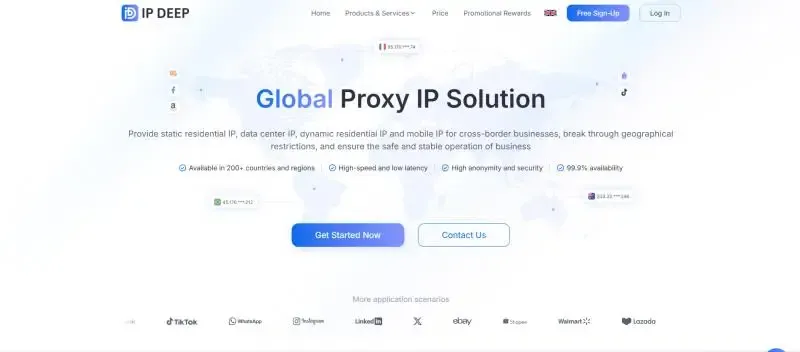
These proxies usually have larger IP pools and more stable connections. For example, the residential proxy network provided by IPDEEP supports global IP resources and can be used for:
• Website access testing
• Data collection
• Multi-account management
• Cross-region access
Compared to traditional online proxies, the proxy services provided by IPDEEP can resolve user issues more quickly.
5. Check if ProxySite is Down
Sometimes the problem isn't on your end, but rather ProxySite itself is experiencing service issues.
If you encounter:
• Unable to establish a connection
• Page keeps loading
• Server error messages
It is likely that the ProxySite server is temporarily unavailable.
You can try:
• Refreshing the page
• Trying to access after a few minutes
• Using a different network
If multiple networks are unable to access, it is likely a website server issue.
6. Use Browser Proxy or Proxy Software
In addition to web proxies, a more common method is to directly configure proxy IPs in the browser or system.
The advantages of this method include:
• More stable access speed
• Ability to switch IPs freely
• Not relying on a single proxy website
Many users find that their access experience is smoother with proxy IPs than with online proxies.
7. Change Network Environment
In some company or school networks, proxy websites may be blocked.
If you encounter:
• Page cannot be opened
• DNS cannot be resolved
• Access denied messages
You can try:
• Switching to a mobile hotspot
• Accessing via home network
• Changing WiFi networks
If you can access after changing networks, it indicates that the current network environment restricts the proxy site.
Conclusion
ProxySite not working is actually not uncommon, with common reasons including:
• Website server faults
• Proxy IPs being blocked
• Browser cache issues
• Network environment restrictions
Typically, the following methods can resolve the issues:
1. Change browser or use incognito mode/fingerprint browser
2. Clear cache and cookies
3. Try other proxy websites
4. Use stable proxies (like IPDEEP)
5. Check if ProxySite is down
6. Configure proxies in the browser
7. Change network environment
If you only occasionally access webpages, online proxies are sufficient. But if you need stable access over the long term, you should use a more professional proxy service like IPDEEP.