What to Do If Your Static Data Center IP Is Blocked? Three Steps to Quickly Restore Access



Clean IP picks: Static IPs from $1.5 each, Dynamic IPs from $0.5/GB


Have you ever encountered a situation where your static data center IP (i.e., static IP) has been stable, but suddenly you find that the platform is inaccessible, and your account shows abnormal activity, or even the entire scraping task comes to a halt?
This is actually a case of the static data center IP being blocked, where the platform directly denies access, and even the account gets restricted. If you don't understand the reasons and coping strategies, it can easily lead to the entire business chain being blocked.
Today, I have compiled a complete emergency guide to help you quickly restore access to your static data center IP while avoiding the same issue from happening again. Additionally, I will provide long-term prevention strategies to ensure you can use IPs more safely and efficiently.
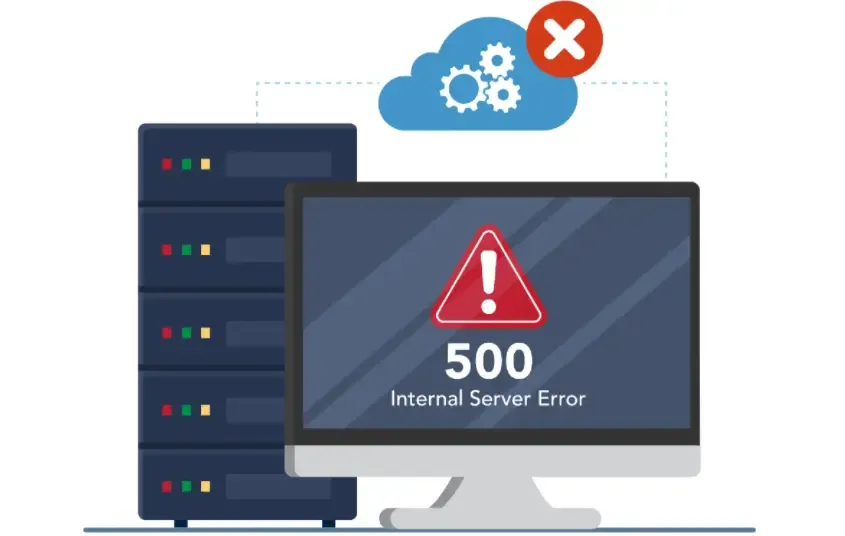
1. What isStatic Data Center IP?
Let me briefly explain that a static data center IP is a fixed IP address that does not change every time you connect to the internet like a dynamic IP does.
• Many businesses and developers prefer to use it because of its stability and speed, making it especially suitable for large-scale data scraping, advertising, SEO monitoring, and other scenarios.
• Compared to ordinary dynamic IPs, static IPs are not easily switched frequently, but once they are recognized and blocked by the target website, the problem becomes troublesome—because they remain unchanged, the ban is almost "permanent".
2. Common Reasons for Blocking Static Data Center IPs
1. Excessive Access Frequency
Many people using crawlers or batch operation tools do not pay attention to access frequency, and making too many requests in a short period can easily trigger the target website's security policies.
2. IP Blacklisted
Some static IPs come from data centers, and if they are identified by certain websites or security companies as "data center IPs," they will be directly blocked.
3. Abnormal Account Behavior
Even if the IP itself is fine, if the logged-in account exhibits abnormal behavior, such as frequently modifying information or submitting requests in bulk, it may also lead to the IP being blocked.
4. IP Range Issues
Sometimes it is not just a single IP that is blocked, but the entire IP range. If the IP range you are using has been abused, then no matter how you change the IP, you may still encounter bans.
3. What to Do If Your Static Data Center IP Is Blocked?
| Ban Type | Possible Reasons | Quick Solutions | Long-term Prevention Measures |
|---|---|---|---|
| IP Blacklisted | IP sourced from public data centers or abused | Contact the IP provider to change the IP | Use high-quality IP providers and regularly rotate IP ranges |
| Excessive Access Frequency | Too many requests from crawlers or batch operations | Temporarily reduce request frequency | Set reasonable access intervals and simulate human behavior |
| Abnormal Account Operations | Abnormal operations from the same account in a short time | Pause account operations and switch IP to continue | Disperse operation accounts and optimize operation logic |
| Overall IP Range Block | Same subnet IPs are blocked | Switch to static IPs from a different subnet | Purchase multi-subnet IPs to disperse usage risks |
| Target Website Policy Update | Website security policy upgrades | Monitor ban policies and adjust request methods | Regularly monitor changes on target websites and update scraping strategies in a timely manner |
1. Switch IP Immediately
• If you purchased your static data center IP through an IP provider (like IPDEEP, etc.), the most direct way is to contact the provider and request an IP change.
• Most reputable providers offer emergency IP change services, which are very fast, and you can restore your business in a few minutes to tens of minutes.
Tip: Try not to use other IPs from the recently blocked IP range, as there may be a risk of bans in the same IP range.
2. Check Usage Strategies
Changing IP is just a temporary solution; more importantly, it is to avoid being blocked again. You can consider the following measures:
• Reduce Access Frequency: Especially when scraping website data, set reasonable intervals to avoid making a large number of requests in a short time.
• Simulate Real Behavior: Randomize access sequences and add some pauses to make it look more like human operation.
• Diversify IP Sources: Do not use only a single data center IP; mix multiple IP sources to reduce the risk of concentrated bans.
3. Use Advanced Features of IP Providers
IP providers like IPDEEP often offer services such as "static IP rotation" and "high anonymity IPs."
• High Anonymity IP: Can hide your real IP
• Static IP Rotation: Avoid using a single IP for too long while ensuring stability
Suggestion: If you need stable access for a long time, it's best to choose a service that supports IP pool management, so that once an IP is blocked, the system will automatically switch to an available IP without interrupting the business.
4. Test IP Health
Before deploying static IPs on a large scale, you can first conduct an "IP health check."
• Test whether you can access the target website normally
• Check for any risk of being blocked
• IPDEEP and other quality IP providers generally offer related tools to help you filter out high-quality static data center IPs in advance.
5. Record Blocking Situations
Every time an IP is blocked, you should record it:
• Blocked website
• Time
• Usage strategy
This way, you can analyze patterns, adjust IP usage strategies, and avoid making the same mistakes again.
4. Practical Long-term Prevention Strategies for IP Blocking
• Multi-line Combination: Mix static IPs, dynamic IPs, and residential IPs.
• Intelligent Scheduling: Use APIs or management platforms provided by IP providers to automatically switch IPs, reducing manual intervention.
• Optimize Request Logic: Try to reduce request frequency, minimize duplicate scraping, and lower the probability of being blocked.
Conclusion
While having a static data center IP blocked can be frustrating, it is not without solutions.
The key is to quickly switch IPs (using reliable IP providers like IPDEEP); analyze the reasons (access frequency, IP range issues, or account abnormalities); reasonably rotate IPs, control access frequency, and disperse operation accounts.
Choosing a reliable IP provider and scientifically scheduling IPs is more crucial than simply pursuing low-cost IPs. If you frequently encounter static data center IP blocks during your operations, consider following this guide, and you should be able to quickly restore normalcy.