




Beginner's Guide to Networking: What is a Default Gateway?
 Daniel Wong
 2026-03-02 10:06
 Other
Other𝕏:https://x.com/IPDeepProxies
▶ YouTube:https://www.youtube.com/@ipdeep-proxies
📢 Telegram Channel:https://telegram.me/ipdeep_proxy
The "default gateway" is a very important but often overlooked concept in network configuration. If you are a networking beginner, understanding the role of the default gateway and how it affects the connection between devices and external networks will greatly assist you in mastering network settings.
This article will explain in detail what a default gateway is, its function, how to configure it, and compare it with some common networking concepts.
What is a Default Gateway?
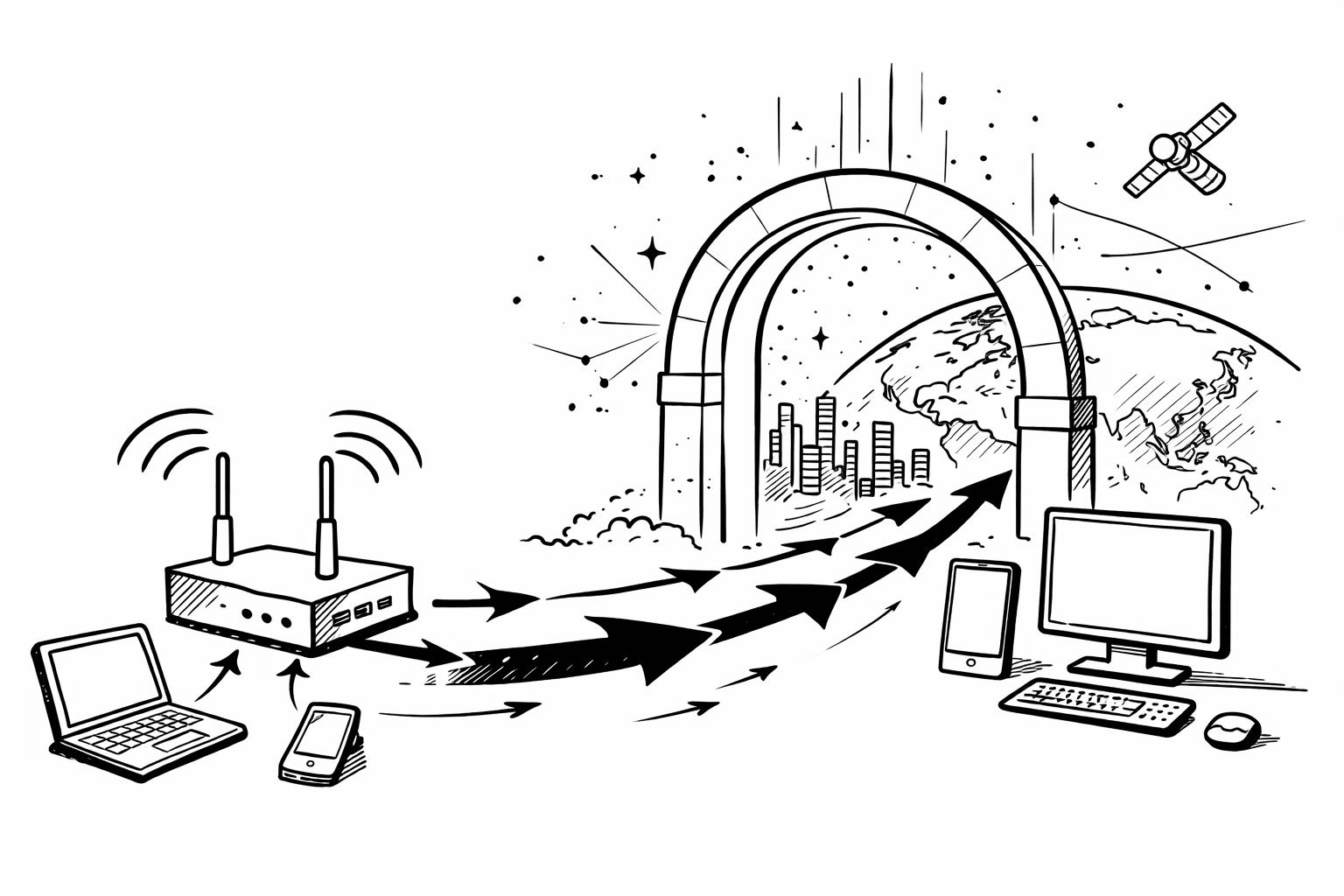
In simple terms, a default gateway is the "exit" through which a device (such as a computer, router, printer, etc.) accesses external networks. Within a local network, devices may communicate with other devices on the same local area network, but if communication with devices outside the local area network or the internet is needed, it must go through the default gateway. The default gateway is usually a router, which is responsible for forwarding data packets from the local network to the external network.
For example, suppose you are using your home Wi-Fi network, and the IP address assigned to your device (such as a computer) is 192.168.1.10. Your default gateway's IP address is typically 192.168.1.1, which serves as the bridge between your local network and the internet. All requests sent to the internet (such as browsing web pages) will first go to this default gateway, which then forwards them to the internet.
The Role of the Default Gateway
1. Forwarding Network Data Packets
When a device needs to communicate with different subnets or external networks, the role of the default gateway becomes particularly important. It acts as a "transit station" for data packet forwarding. If a device on the local network wants to access the internet and the target address is not within the local subnet, the data packet will be sent to the default gateway, which will continue to forward it.
2. Acting as an Exit
In a local area network, the default gateway is usually the only exit to the wide area network (such as the internet) or other networks. When you access a website or service that is not within the local network, the data flow must pass through the default gateway to reach the target. Without a default gateway, devices can only communicate with other devices within the same local area network and cannot access the internet.
3. Maintaining Network Security
The device serving as the default gateway is usually a router, which can also have security features like firewalls and NAT (Network Address Translation). Through the default gateway, the data flow from external networks can be filtered to prevent malicious traffic from entering the local network. By configuring appropriate network policies, the gateway can also restrict which devices can access the external network.
How to Configure a Default Gateway?
1. Automatic Configuration
In modern home or business networks, the default gateway is usually assigned automatically by the router. Most devices (such as computers, phones, printers, etc.) obtain network settings automatically when connecting to the network via DHCP (Dynamic Host Configuration Protocol), including IP address, subnet mask, and default gateway. Therefore, in most cases, you do not need to manually configure the default gateway; the router will handle these settings automatically.
2. Manual Configuration
If you need to manually configure network parameters when setting a static IP, you will need to specify the IP address of the default gateway. Typically, the IP address of the default gateway is the same as that of the router. For example, in a home network, the default gateway IP address of the router might be 192.168.1.1 or 192.168.0.1. You can manually enter this IP address in the network settings interface of your device.
Configuration Steps (Using Windows Operating System as an Example):
Open "Control Panel": Click on the "Start" menu and select "Control Panel."
Select "Network and Sharing Center": Go to "Network and Sharing Center," then click on "Change adapter settings."
Select Network Connection: Choose the network connection you are using (e.g., Wi-Fi or Ethernet).
Open Properties: Right-click on the network connection and select "Properties."
Configure IPv4: Under the "Networking" tab, select "Internet Protocol Version 4 (TCP/IPv4)," then click "Properties."
Manually Configure Default Gateway: In the pop-up window, select "Use the following IP address," and enter your router's IP address (e.g., 192.168.1.1) in the "Default gateway" box.
Save Settings: Click "OK" to save the settings.
3. Verify Configuration
After configuration, you can use some commands to verify whether you can correctly access the default gateway and the internet. You can open the command prompt and use the ping command to test the connectivity to the gateway and external websites. For example:
ping 192.168.1.1: Verify if you can connect to the default gateway.
ping www.google.com: Verify if you can connect to the internet.
Comparison of Common Networking Concepts
| Concept | Function | Role | Location | Common Settings/Usage Scenarios |
|---|---|---|---|---|
| Default Gateway | The exit for network devices to external networks, responsible for routing traffic | Forwarding data packets from the local network to the internet or other networks | Typically a router, the exit in a local area network | Configured in home or business networks, router IP address |
| DNS | Converts domain names to IP addresses | Helps devices find the IP address of the target website | Configured in local devices or ISP servers | Configure static DNS or use public DNS (e.g., 8.8.8.8) |
| Router | Connects different networks and routes data packets | Connects local area networks and the internet, supports NAT functionality | The central device in home and business networks | Router set as the default gateway, providing Internet access |
| Proxy | Forwards requests on behalf of users, hiding the real IP address | Anonymous browsing, bypassing access restrictions | Application layer, configured in browsers or applications | Enhancing anonymity through browsers, software, or local settings |
| Firewall | Controls the data flow in and out of the network, preventing malicious access | Protects devices from external threats, blocking illegal network access | Inside the router or device, protecting the network entry | Configuring firewall rules to protect local network security |
Conclusion
The default gateway is a crucial component in computer networks, enabling devices to access external networks such as the internet. Understanding the role of the default gateway, how to configure it, and how to troubleshoot common issues is essential knowledge for every network user. By correctly configuring the default gateway, you can ensure that devices smoothly access external networks, enjoying a stable and efficient network experience.