






How to Set Up IPDEEP Proxy in BitBrowser?



Clean IP picks: Static IPs from $1.5 each, Dynamic IPs from $0.5/GB


Our proxy IPs don't support direct connection — you'll need your own tool to switch your network environment first. To use IPDEEP's proxy service, you'll need to buy an IP first, then bind it to BitBrowser to use it.
Note: If you run into anything you're unsure about while using the proxy, feel free to reach out to IPDEEP support.
一、Basic Workflow
Here's the basic workflow on the IPDEEP platform, from logging in to actually using your proxy IP ports.
1. Go to the IPDEEP website and create an account — you can sign up with your email (including Gmail), phone number, and more.
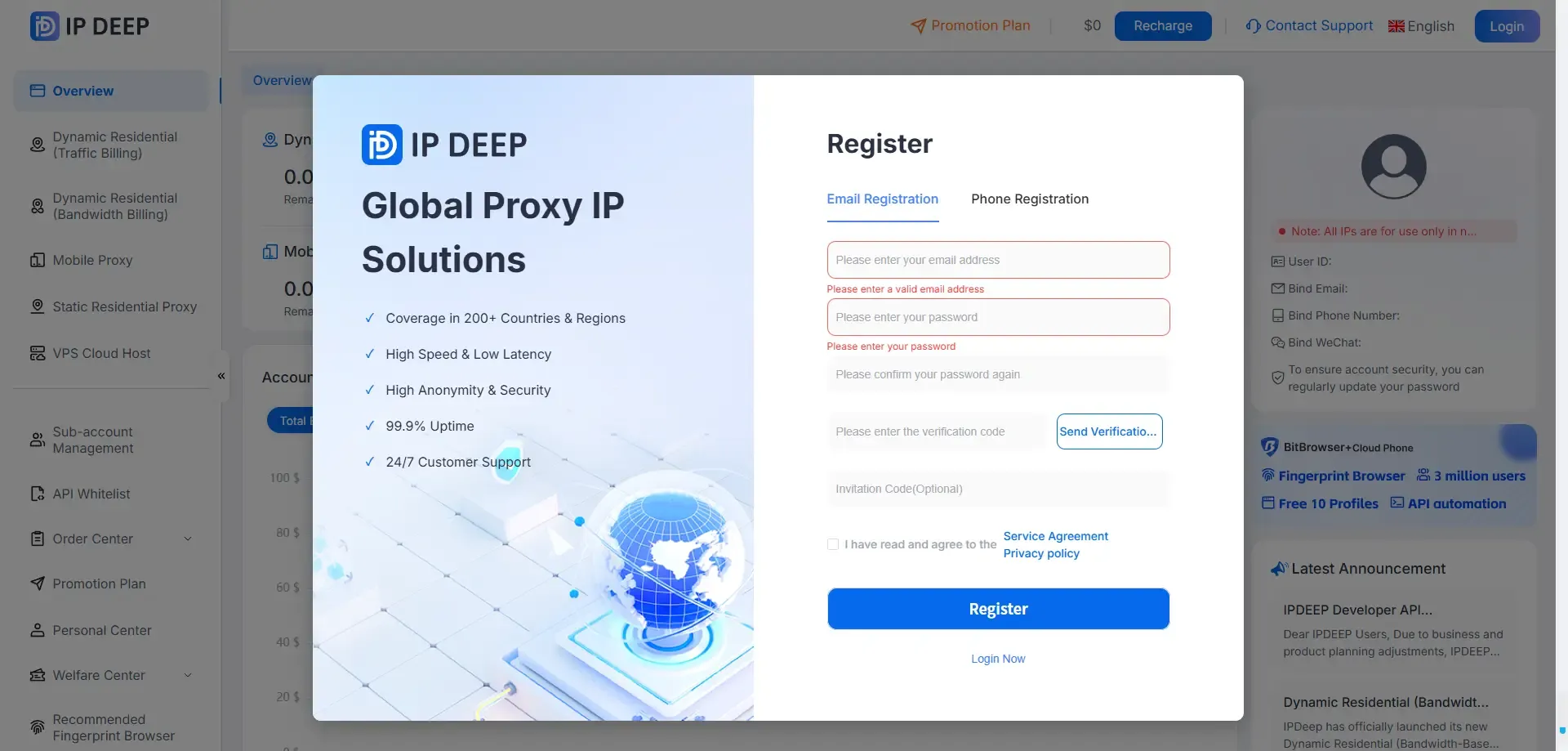
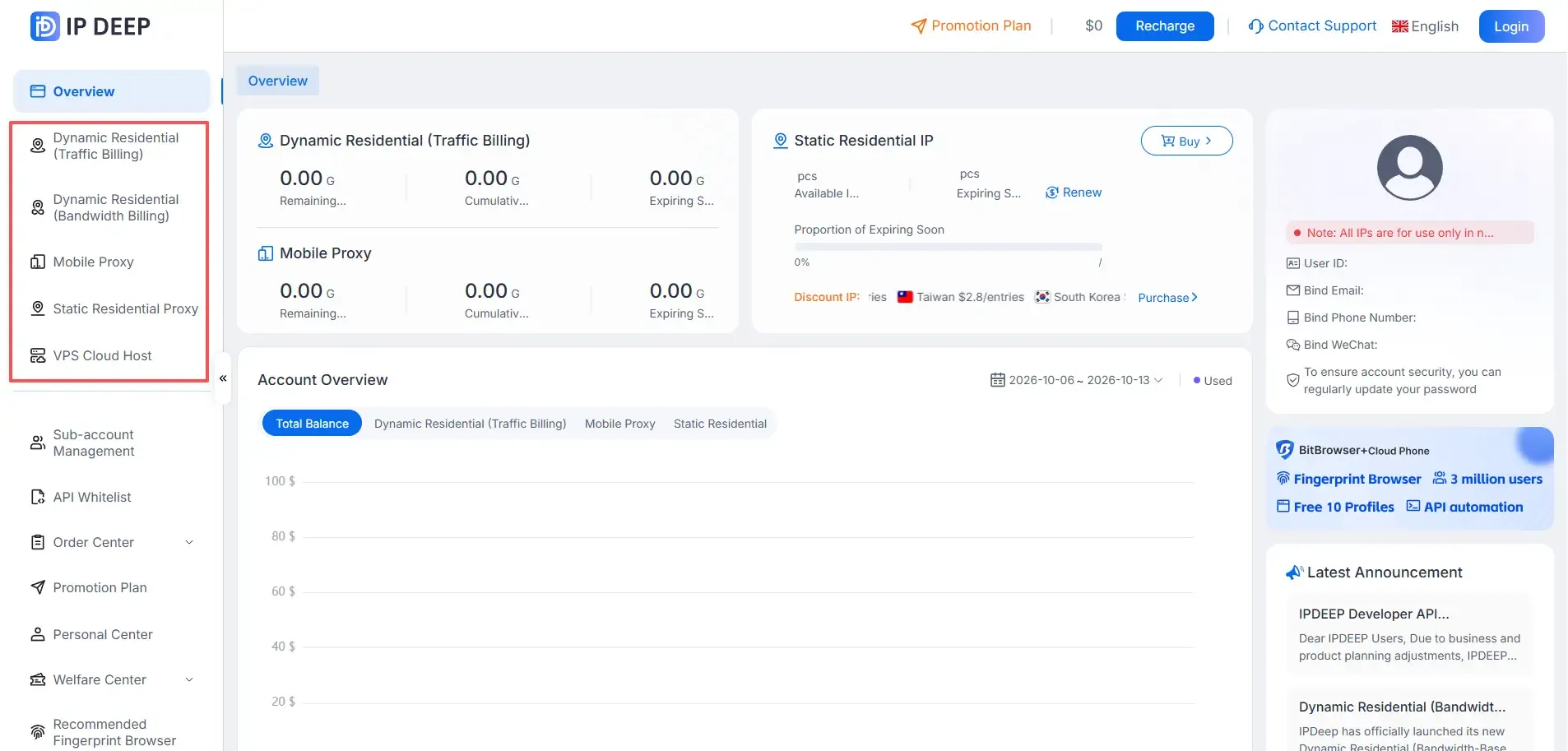
2. Log into your dashboard and pick the type of IP you want to buy.
IPDEEP offers static residential IPs, rotating (dynamic) residential IPs, unlimited residential proxies, mobile proxies, and more.
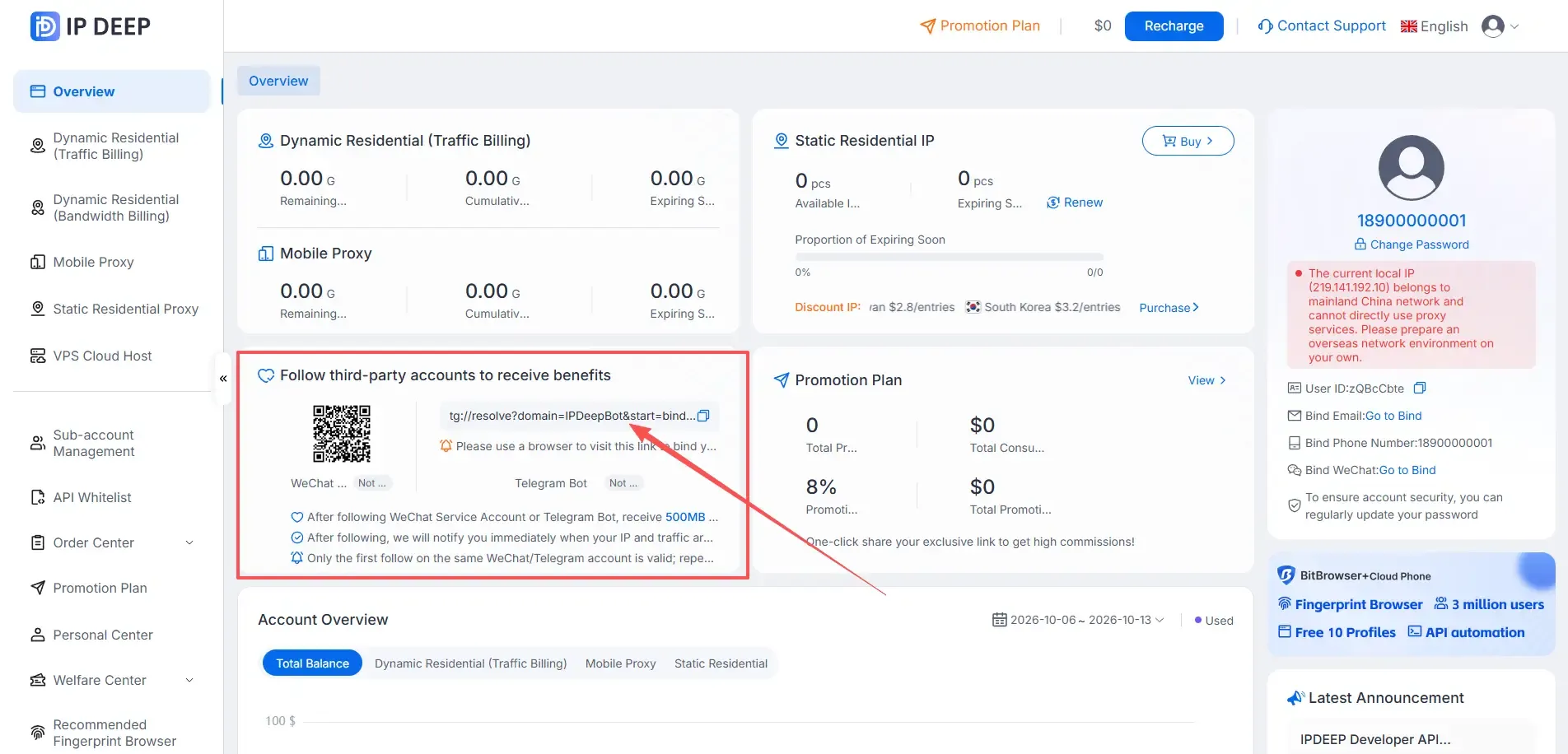
3. Member Benefits
After logging in, follow IPDEEP's official channel (WeChat Official Account or Telegram bot) to claim 500MB of rotating traffic or a $2 coupon — the coupon can be applied directly toward your proxy purchase.
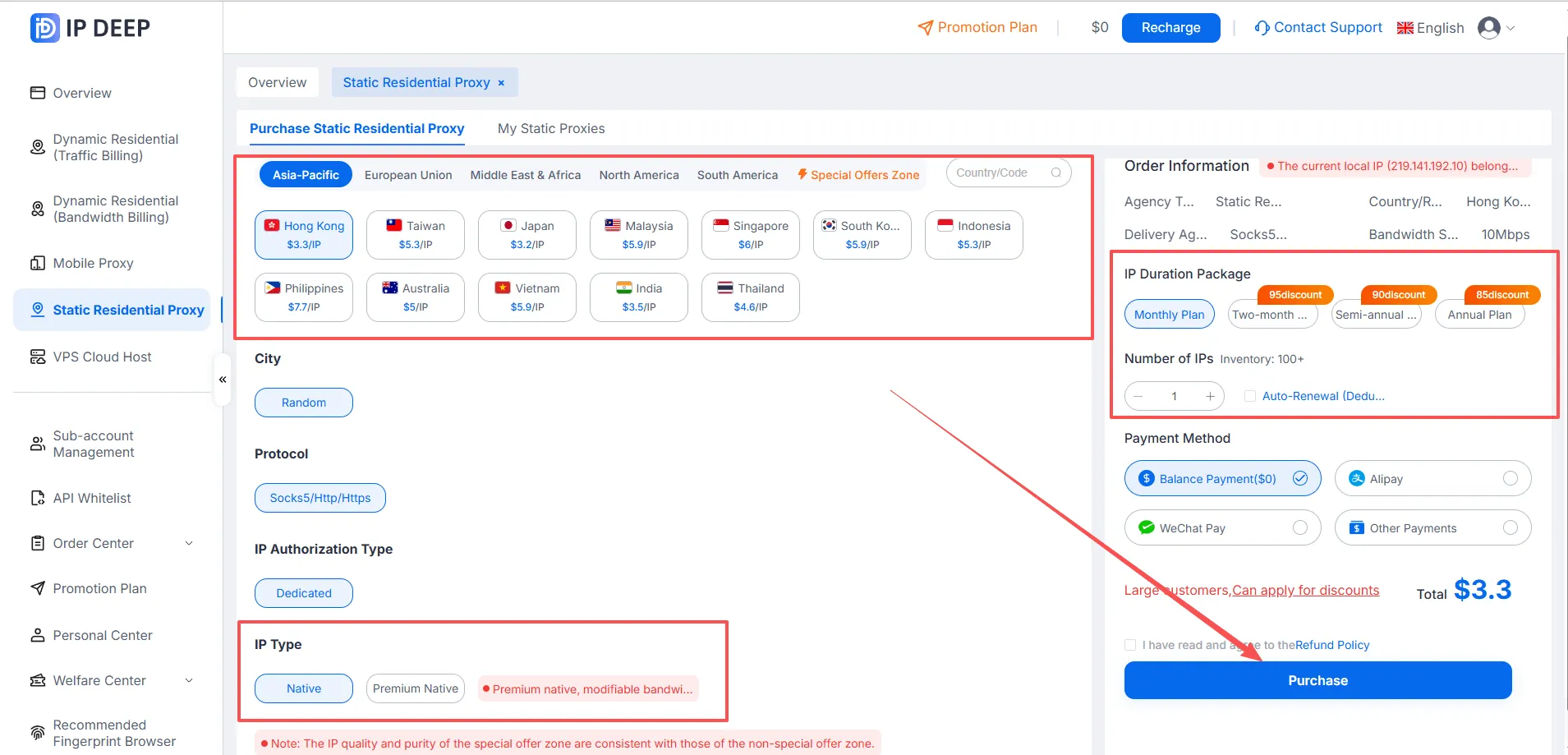
4. Using static residential proxies as an example: choose the country/region you want to buy → select the IP type (native or premium native) → choose your plan duration → pick a payment method → and click Buy.
5. Once your purchase goes through, head to the "Purchased Static Residential Proxies" page to grab your "host:port:username:password" credentials.
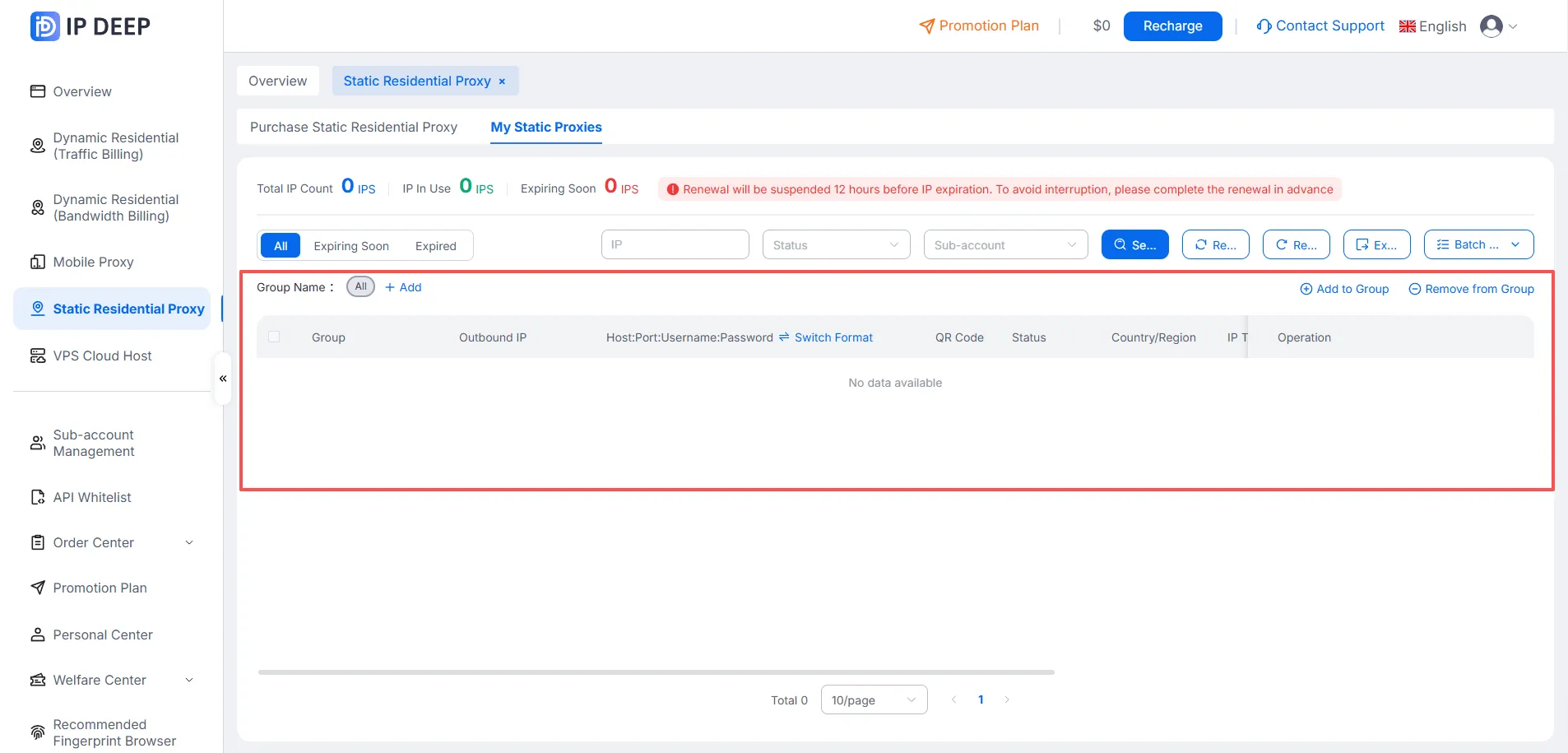
That covers the basic purchase-and-use workflow for IPDEEP's proxy service. The steps are the same for other IP types!
二、Configuring IPDEEP Proxy in BitBrowser
How to set up IPDEEP's proxy inside BitBrowser:
1. Go to the BitBrowser website and download the BitBrowser desktop app.
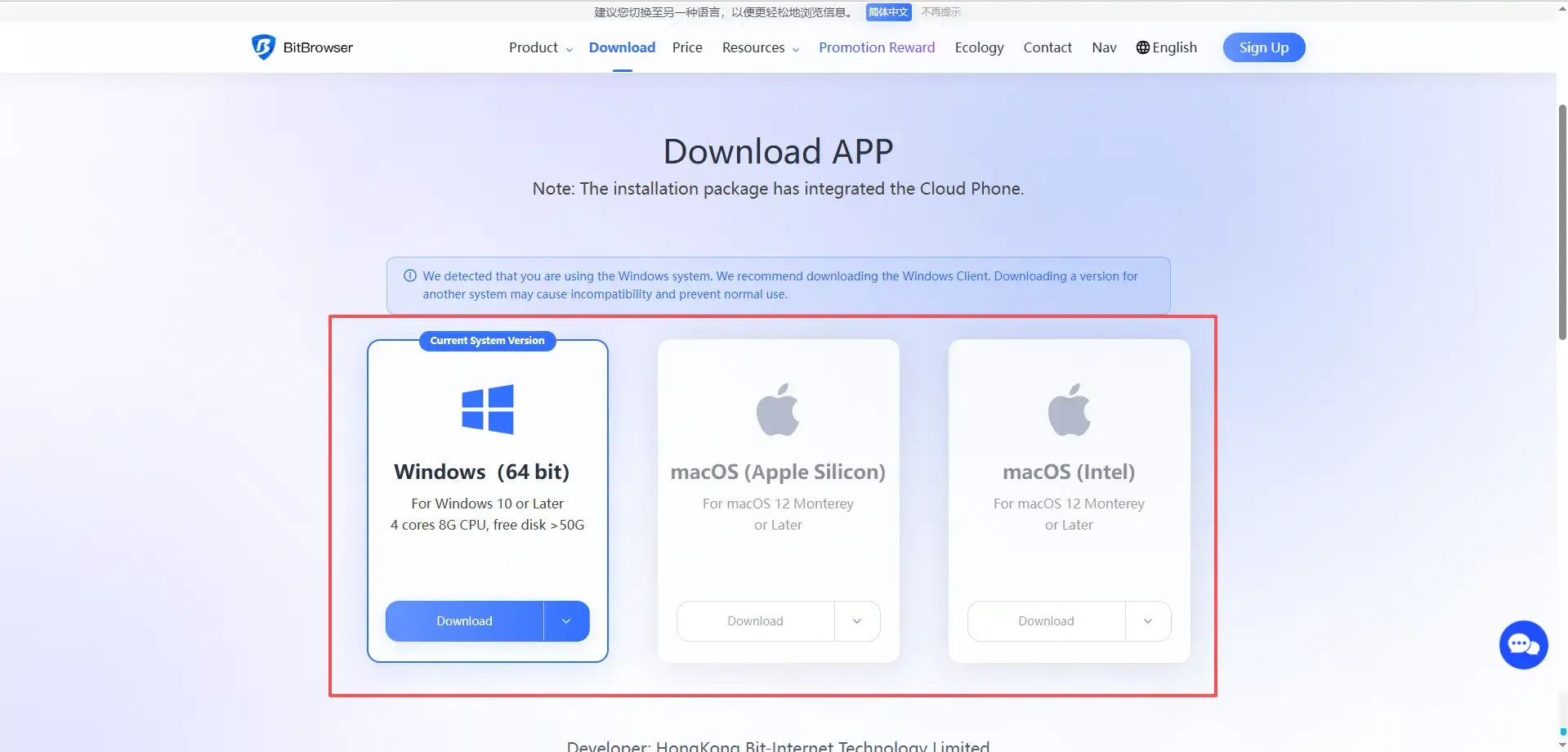
2. Open the installed BitBrowser app.
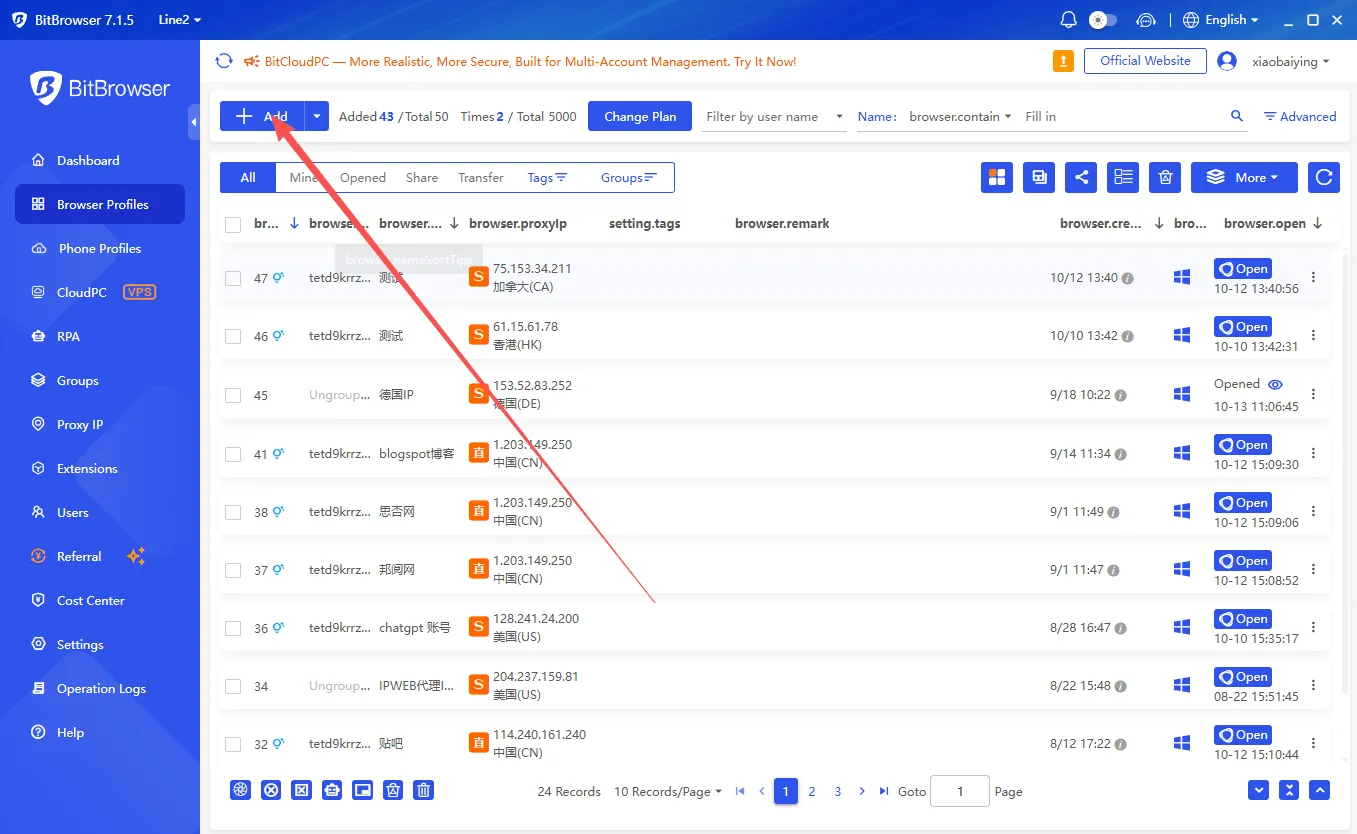
3. On the "Create Profile" screen, fill in your details as needed, and just leave the proxy mode set to Custom by default.
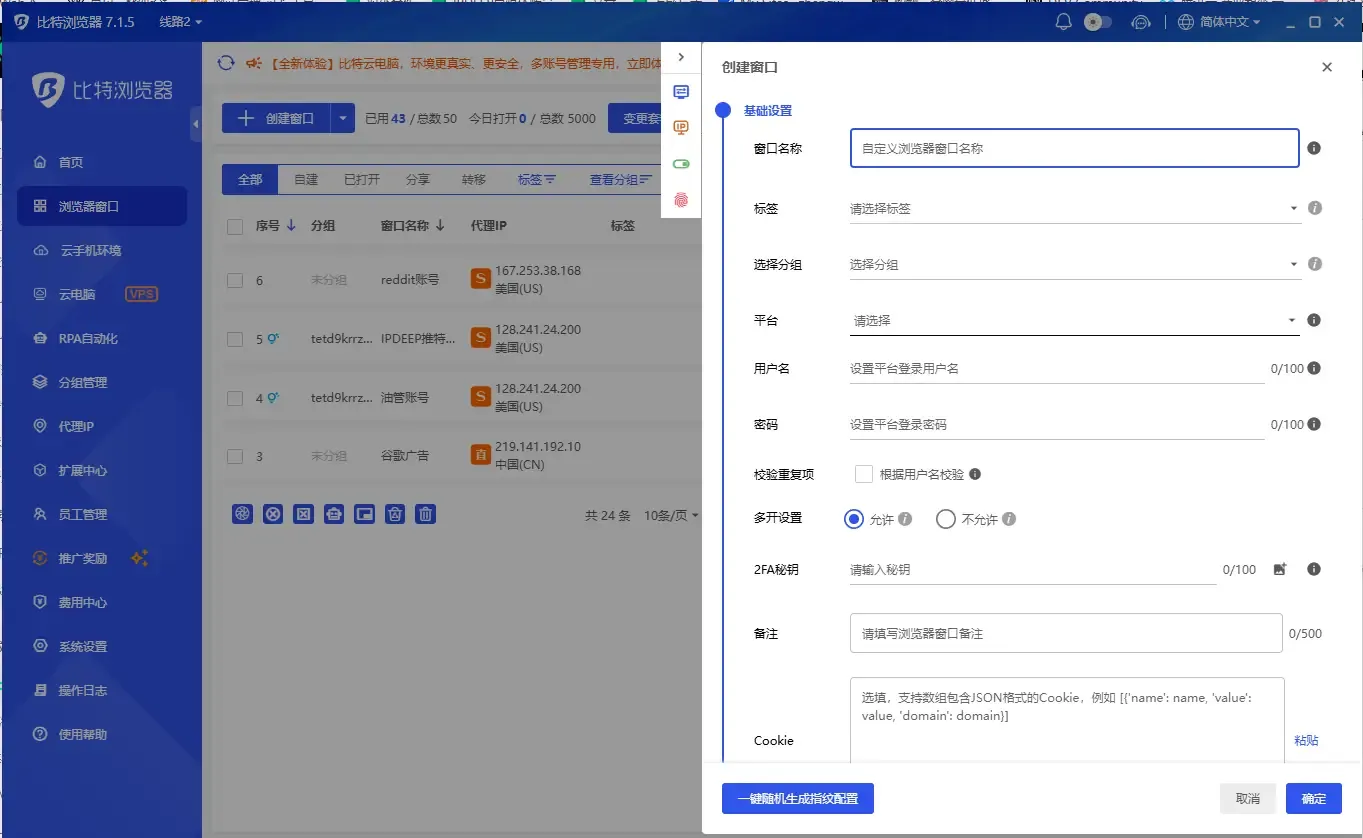
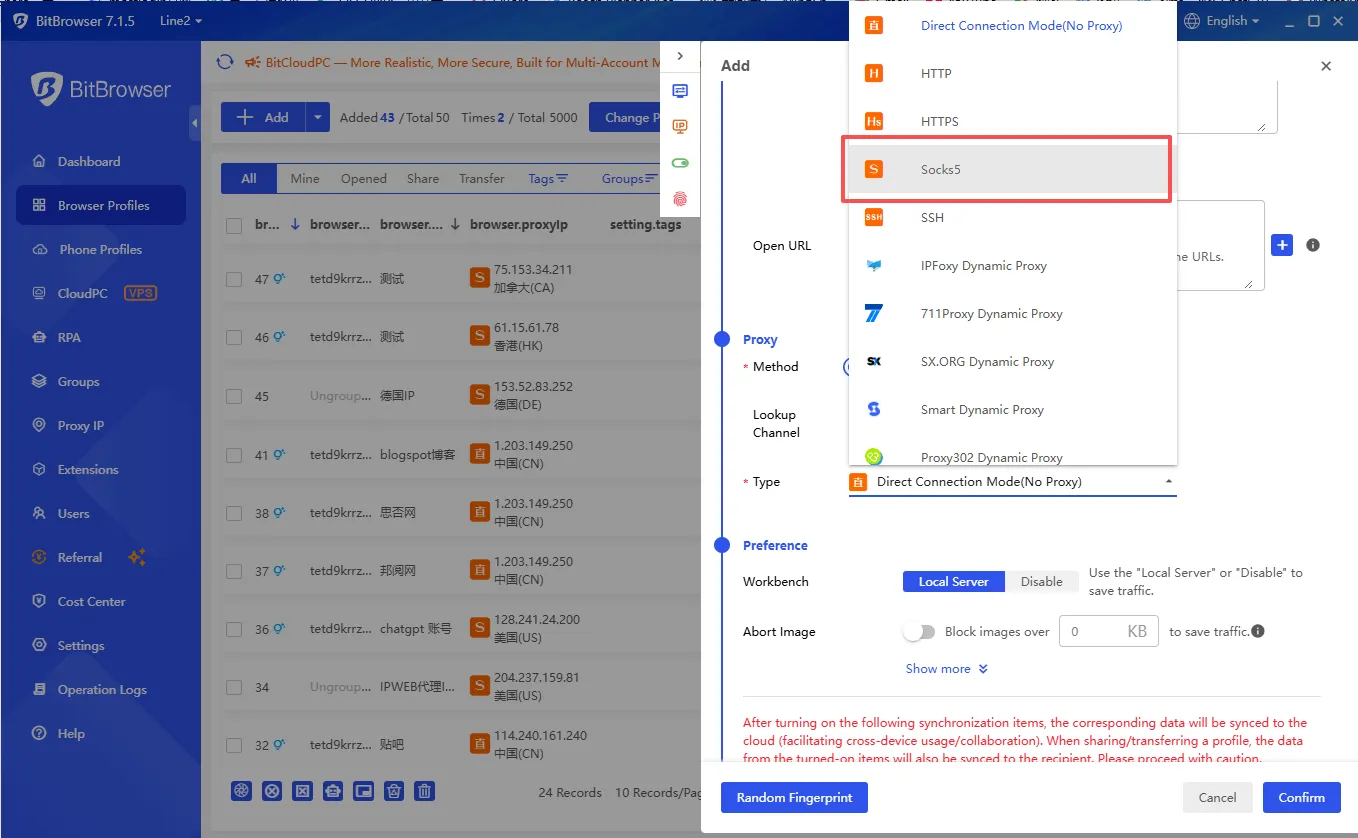
4. Proxy setup. When choosing the proxy type, note that IPDEEP currently supports SOCKS5 and HTTP/HTTPS, with SOCKS5 set as the default.
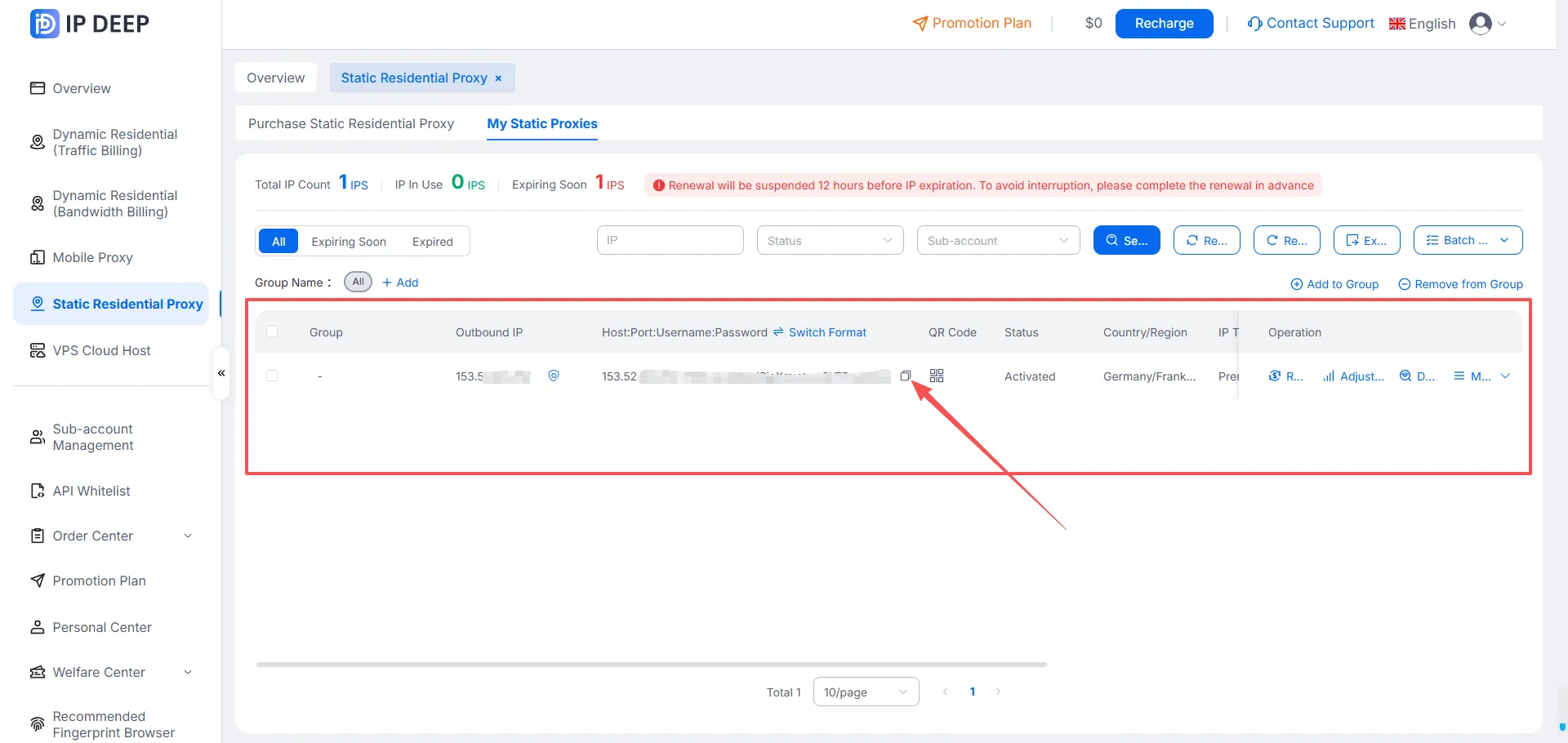
5. Open the IPDEEP proxy platform, go to Static Residential Proxy → Purchased Static Residential Proxies, and copy your "host:port:username:password".
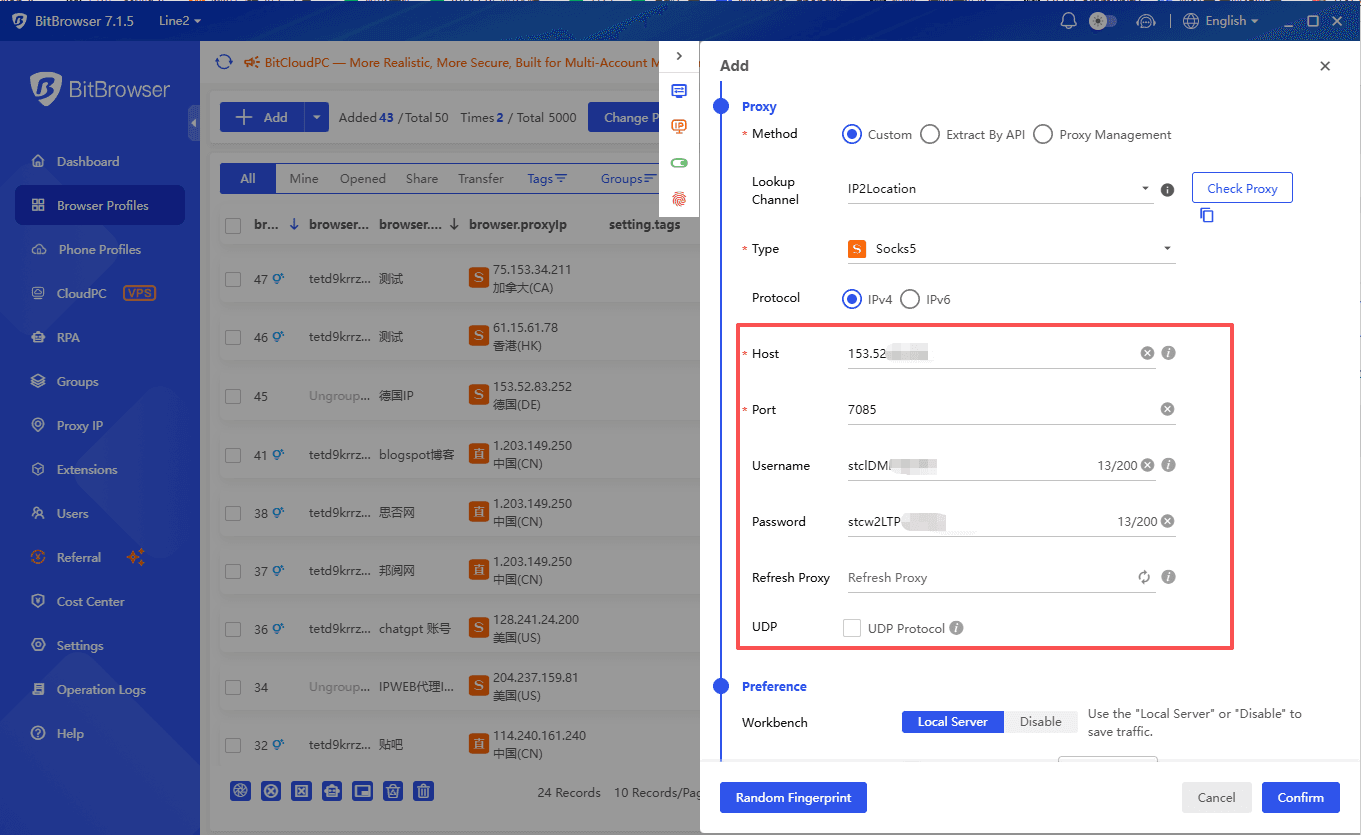
6. Paste the copied proxy details into BitBrowser.
7. Once everything's filled in, click Confirm to save that profile. You'll be taken back to the profile management list.
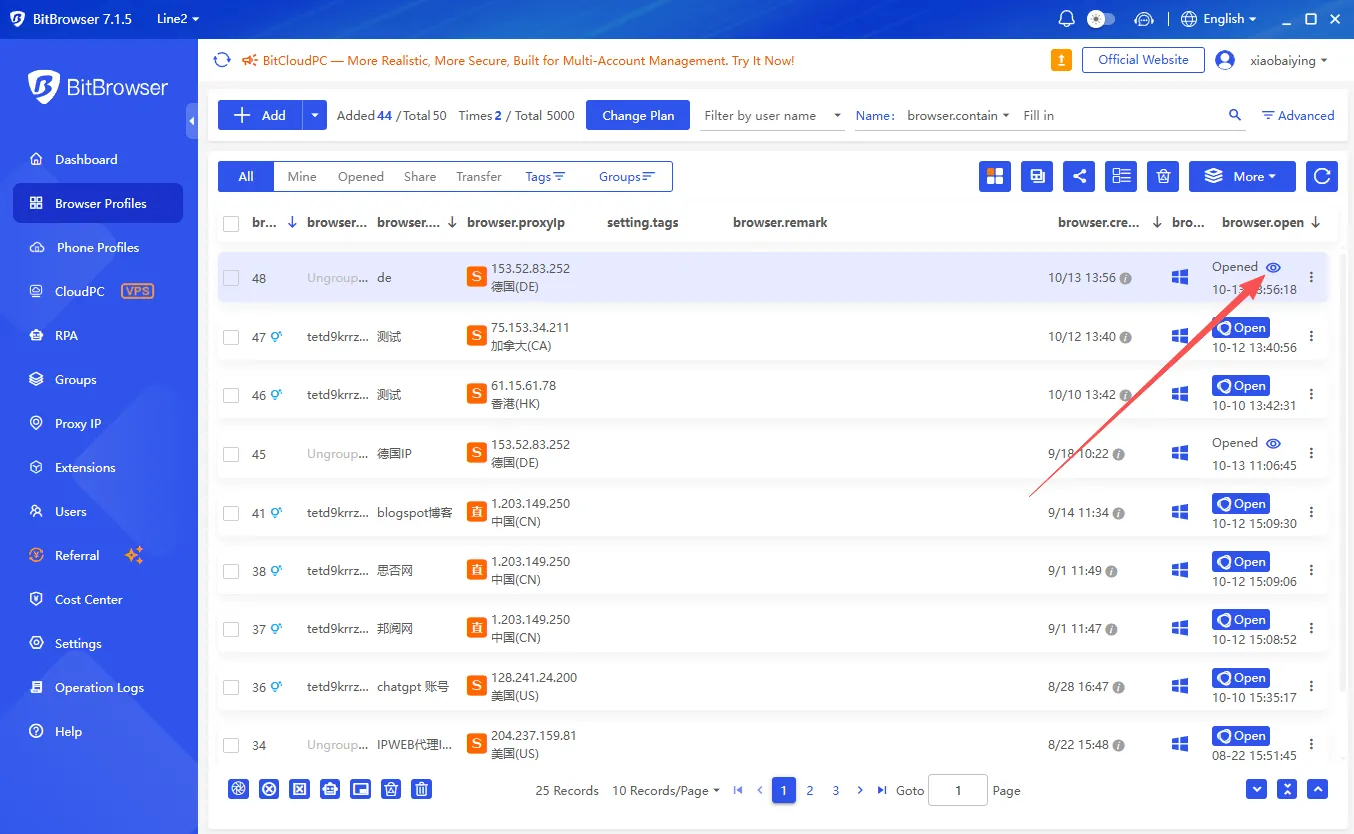
That's it — your IPDEEP proxy is now bound to BitBrowser.
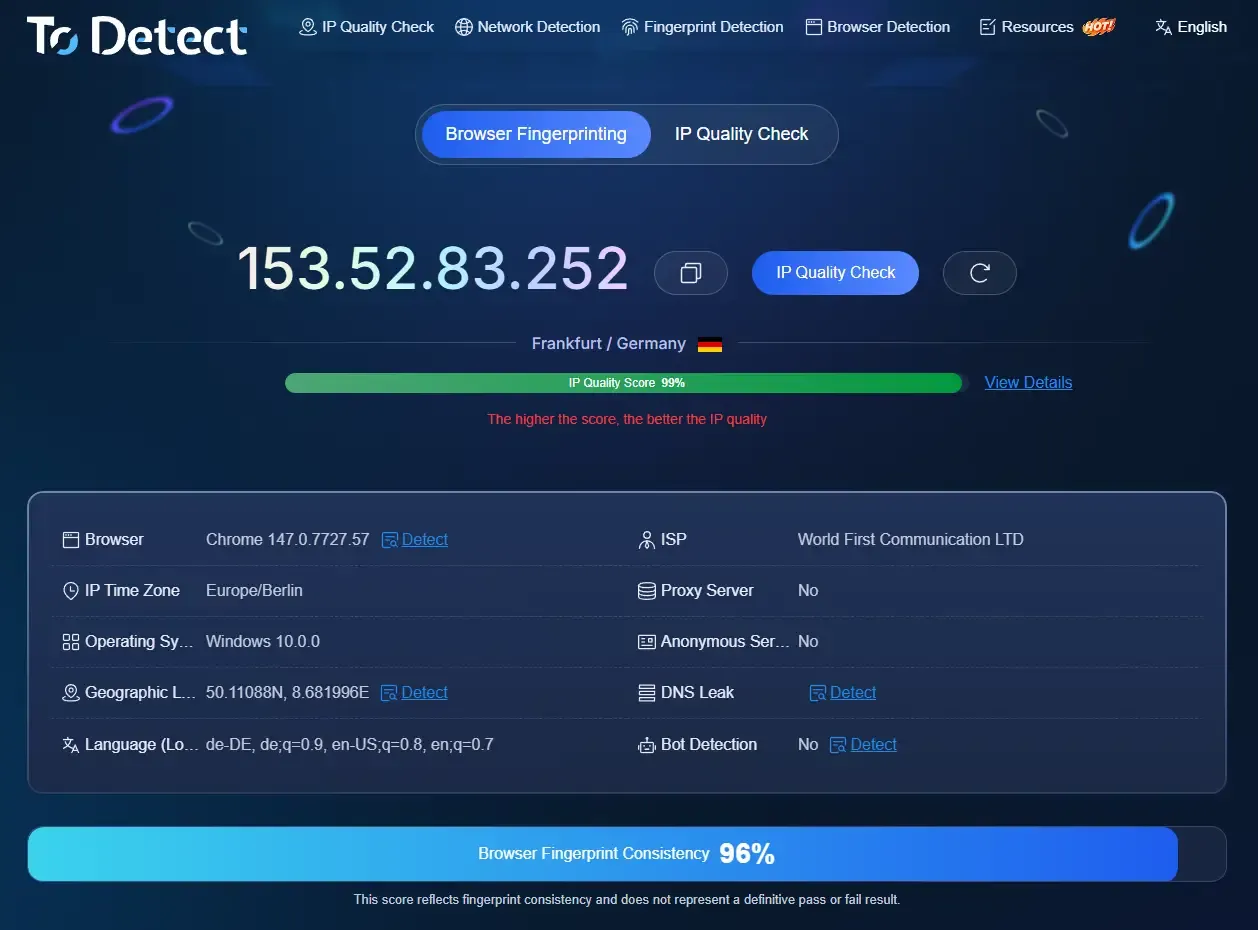
Open https://www.todetect.net/ to see your current IP info:
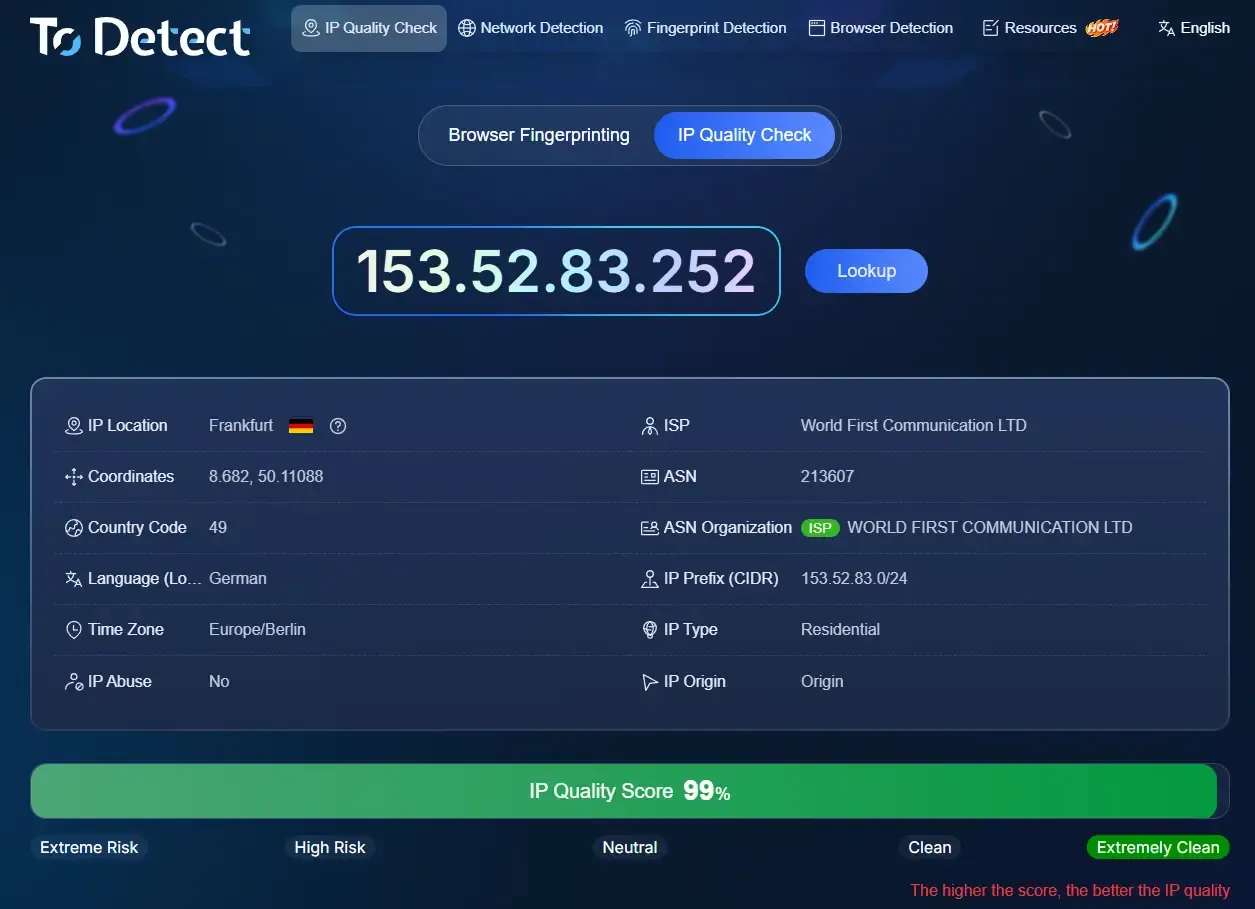
Click "IP Quality Check" and it'll automatically test how clean your bound IP is.
三、FAQ
Q1: What does "proxy doesn't support direct connection" mean?
IPDEEP nodes need your device on the right network first — a plain local connection won't reach overseas nodes. Switch networks with your own tool, then add the proxy in BitBrowser.
Q2: Which proxy type should I use in BitBrowser?
SOCKS5 or HTTP/HTTPS — SOCKS5 is the default. In Create Profile → Proxy, just pick SOCKS5 (unless you bought HTTP/HTTPS nodes).
Q3: Where do I copy host:port:username:password?
Log in to IPDEEP → open the matching IP page (static residential: "Purchased Static Residential Proxies") → one-click copy → paste into BitBrowser's proxy field.
Q4: Static, rotating, unlimited, or mobile — which should a beginner buy?
Start with static residential (fixed IP, best for managing accounts). Rotating = new IP each time (bulk sign-ups/scraping). Unlimited = pay by traffic (big tasks). Mobile = 4G/5G, very clean.
Q5: How do I check the proxy works and the IP is clean?
Visit todetect.net to see your exit IP and location, then click "IP Quality Check" for a cleanliness/anonymity score. It shows up and scores well = you're set.
Q6: How do new users get the 500MB / $2 coupon?
After logging in, follow IPDEEP's WeChat Official Account or Telegram bot to claim it. The coupon auto-applies at checkout.
Q7: Can one proxy be used on multiple BitBrowser profiles?
Best to use one proxy per profile to avoid account linking. Static = one IP per session; unlimited/rotating can be reused per plan, but never let accounts share one exit IP.
Q8: Pages won't load / connection fails — what now?
Re-copy host:port:username:password with no extra spaces → check the proxy type matches your purchase → confirm your network is switched. Still stuck? Test on todetect.net or contact IPDEEP support.



