Dynamic Residential Proxy Quick Start Guide



Clean IP picks: Static IPs from $1.5 each, Dynamic IPs from $0.5/GB


In today's highly developed internet, cross-border e-commerce, SEO optimization, data collection, advertising, and social media operations have higher demands for network access stability and security. Traditional static IP or data center proxies often struggle when facing frequent bans, CAPTCHAs, or regional restrictions. Dynamic residential proxies, with their real IP sources, automatic switching mechanisms, and high anonymity, are becoming the preferred solution for businesses and individual users. This article will provide you with a quick start guide to dynamic residential proxies, allowing you to understand and efficiently use this tool from scratch.
What is a Dynamic Residential Proxy
Dynamic residential proxy is a proxy service that provides users with network access through real residential IPs while supporting real-time IP switching. Unlike static residential proxies, dynamic residential proxies can change IPs with each request or at fixed time intervals, significantly reducing the risk of being banned by websites, being identified as a proxy, or triggering CAPTCHAs.
Its core features include:
Real Residential IP: IPs sourced from home broadband or mobile device networks, highly credible, simulating real user access.
Dynamic Switching Mechanism: Can automatically or according to certain rules switch IPs.
High Anonymity: Hides real IPs, protecting account and operational security.
Global Coverage: Most quality service providers offer IPs from multiple countries and regions to meet cross-border business needs.
Quick Start with Dynamic Residential Proxy
1. Register an Account
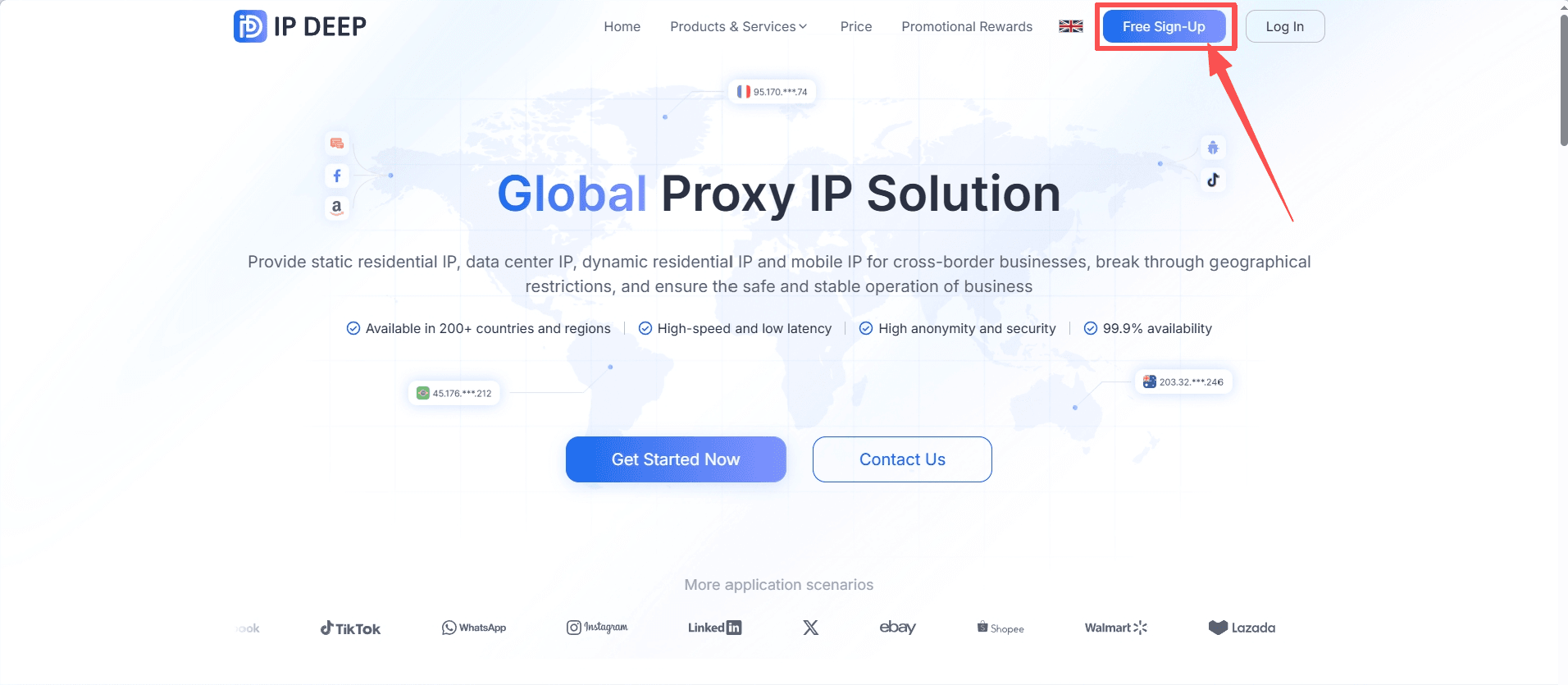
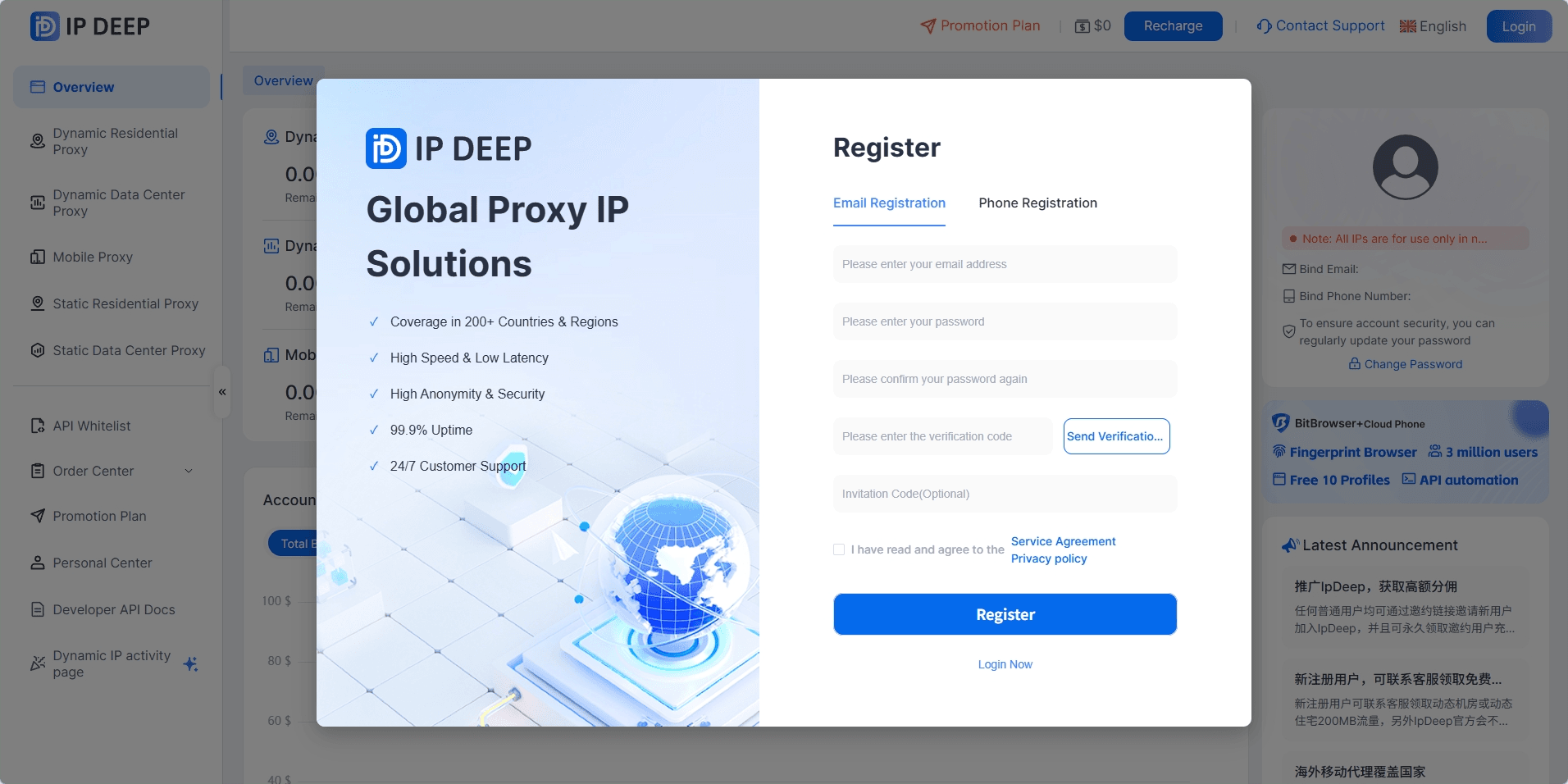
On the IPDeep homepage, click "Free Sign-Up" in the upper right corner to enter the dashboard and register an account.
2. Purchase Dynamic Residential Proxy
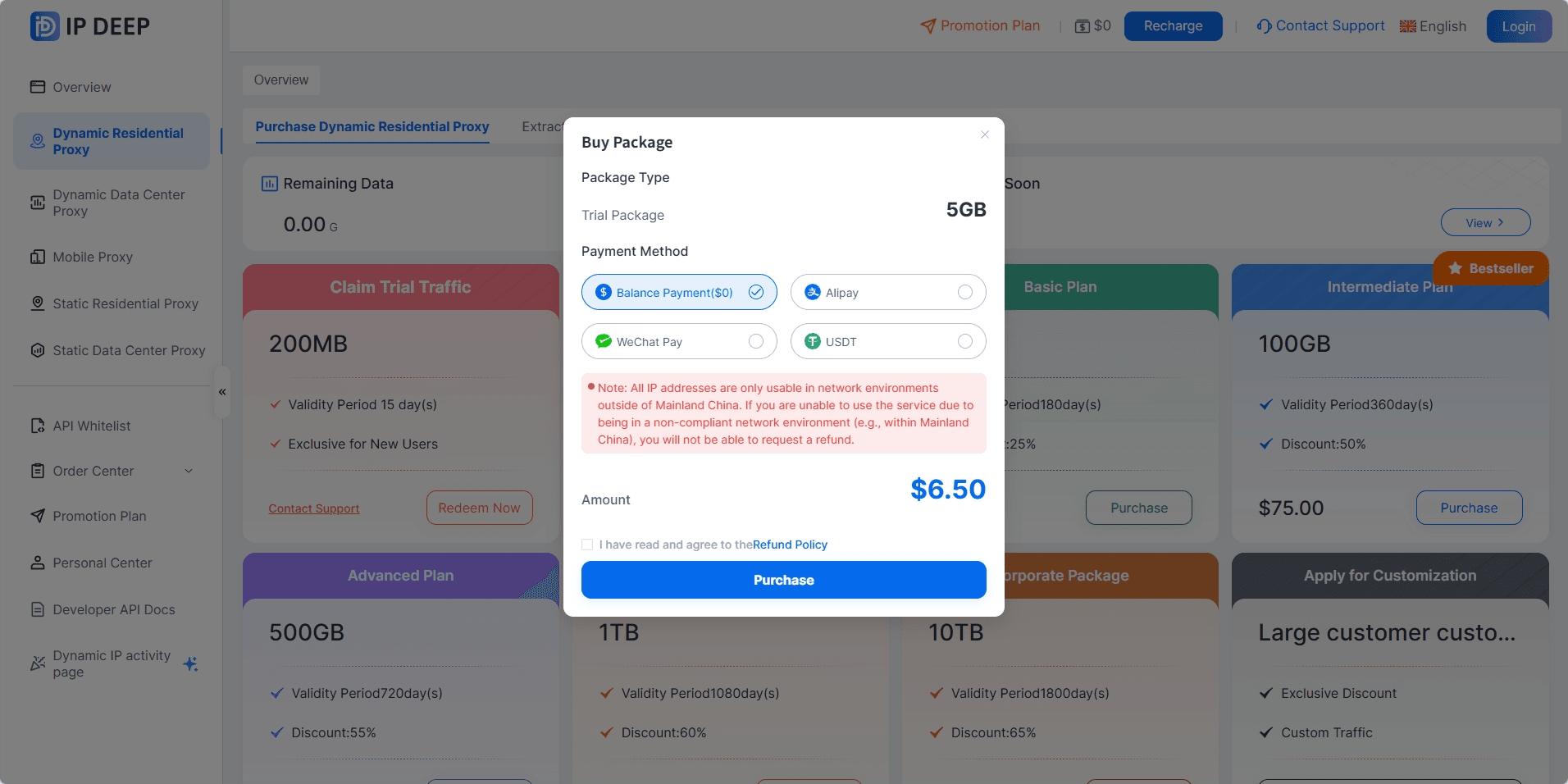
After logging in, select "Dynamic Residential Proxy" on the left side, you can first click "Contact Support" to get a redemption code, then click "Redeem Now", enter the code to receive a 200mb free trial quota.
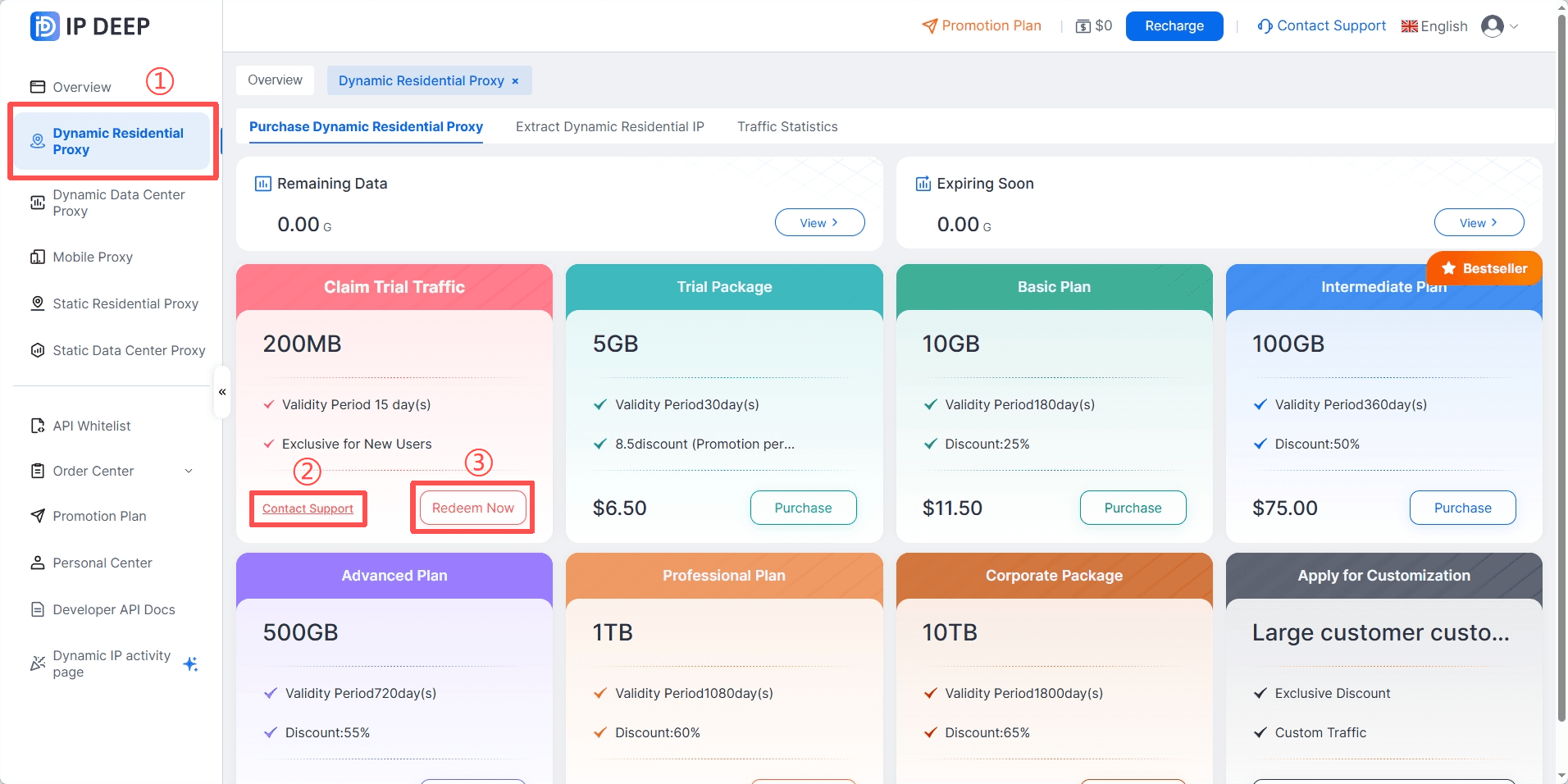
Purchase Package please click "Purchase" at the bottom right of the corresponding package, choose a payment method, and click purchase.
3. Extract Dynamic Residential Proxy
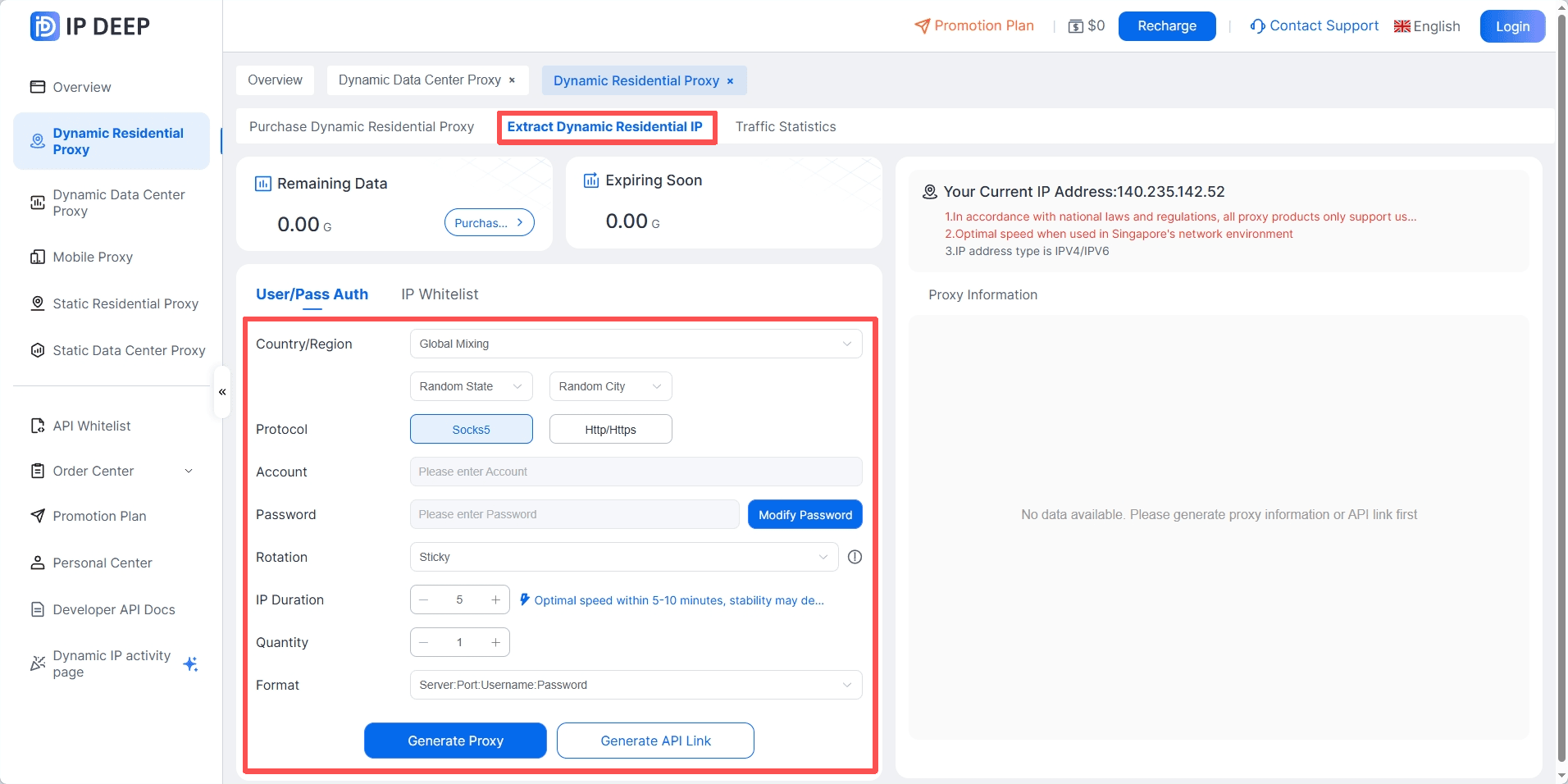
Click "Extract Dynamic Residential IP", select country/region, city; protocol type; IP rotation method, duration; number of IPs; generation format, and click the generate button at the bottom.
4. Test IP and Access Stability
Use testing tools or access target websites to ensure the proxy IP can be accessed normally, checking access speed, latency, and whether CAPTCHAs are triggered.
5. Start Actual Operations
Based on business needs, start scraping data, monitoring keywords, managing store accounts, or validating ads.
Be sure to control access frequency reasonably to avoid triggering the target website's protection mechanisms.
6. Monitor and Adjust
Regularly check IP usage and access effectiveness, and change the IP pool or adjust switching strategies if necessary.
Record any issues encountered and communicate with the service provider's technical support for optimization.
Common Error Codes
When using dynamic residential proxies, you may receive response codes indicating success or failure with specific reasons. You can refer to the following articles for specific reasons and solutions.
Conclusion
This is the quick start guide for dynamic residential proxies. If you have any other needs, you can visit the IPDeep website to browse other types of proxy servers.
Frequently Asked Questions
1. What is the difference between dynamic residential proxies and static residential proxies?
Static residential proxies have fixed IPs for long-term login to a single account or maintaining stable operations; dynamic residential proxies can automatically or according to rules frequently change IPs, making them more suitable for multi-account operations, data scraping, or avoiding bans.
2. Can dynamic residential proxy IPs access websites in all countries and regions?
Most quality service providers offer IP coverage in multiple countries and regions globally, but the specific available regions depend on the IP pool provided by the service provider. Users can choose the country, city, and protocol type when extracting IPs.
3. Are dynamic residential proxies safe?
Dynamic residential proxies from quality service providers use real residential IPs, hide users' real IPs, and do not log access data, ensuring account and operational security.